EN
Controls & Funcons
16
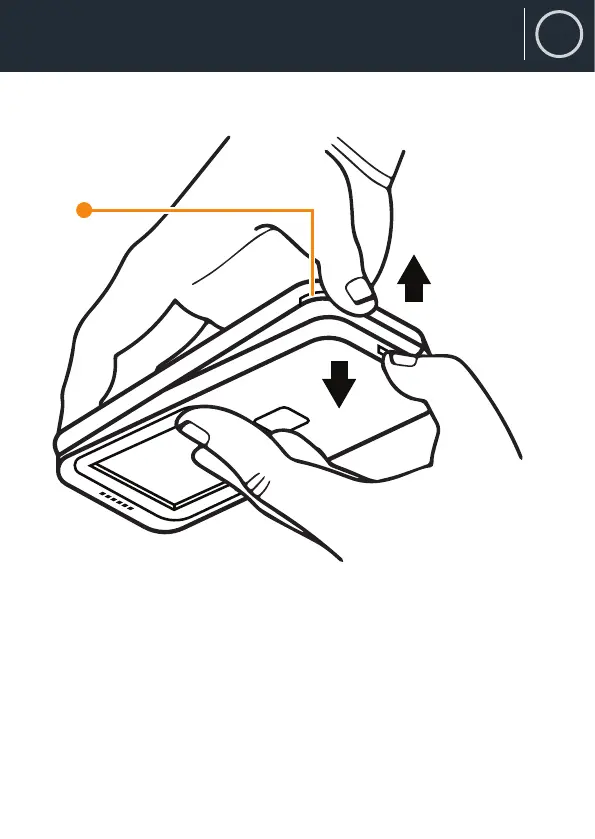
How to Open the Phone
16. Phone case opening
Opening the F100
To open the F100 to remove or replace the battery or insert a SIM or
SD card, place ngernails either side of the small phone case opening
(Ref.16) to prise open the back case from the phone. There is a small
indent in the casing on the bottom right of the phone. When the phone
is brand new, it will take a moderate amount of force to open, but this
will become easier with time.
3


 To Next Page