4
EN
Basic operation
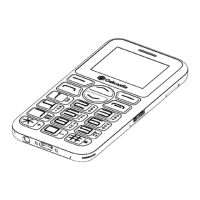
Controls & Funcons
Power on/o
To switch on/o, press and hold the power button (Ref.).
Shortcuts
Audio: Press up on navigation key (Ref.).
Proles: Press right on navigation key (Ref.).
Alarm: Press down on navigation key (Ref.).
New message: Press left on navigation key (Ref.).
Change prole (Normal/Silent/Meeting/Indoor/Outdoor): Press and
hold # key (Ref.).
Torch on/o: Press and hold 0 (number 0 Ref.).
FM Radio: Press and hold * key (Ref.).
Voicemail: Press and hold 1 (number 1 Ref.).
Sleep: Press End call key (Ref.).
Charge
To charge the phone, use the cable provided to insert the micro USB
connector into the phone (Ref.) and insert the USB connector into a
USB power supply. When the phone is fully charged (1.5h maximum),
the screen will display ‘Charging complete’.
Lock/Unlock
To lock/unlock the phone, press the left softkey (Ref.) followed by the
star key (Ref.).
Emergency calls
To make an emergency call (999) (911) (112) it is not necessary to
unlock the phone. Dial the number and press Send Call (Ref.).
Default Password: 1234


 To Next Page