EasyManua.ls Logo

Oakcastle SB100 - User Manual

Oakcastle SB100
26 pages
Print Icon
To Next Page IconTo Next Page
Loading...
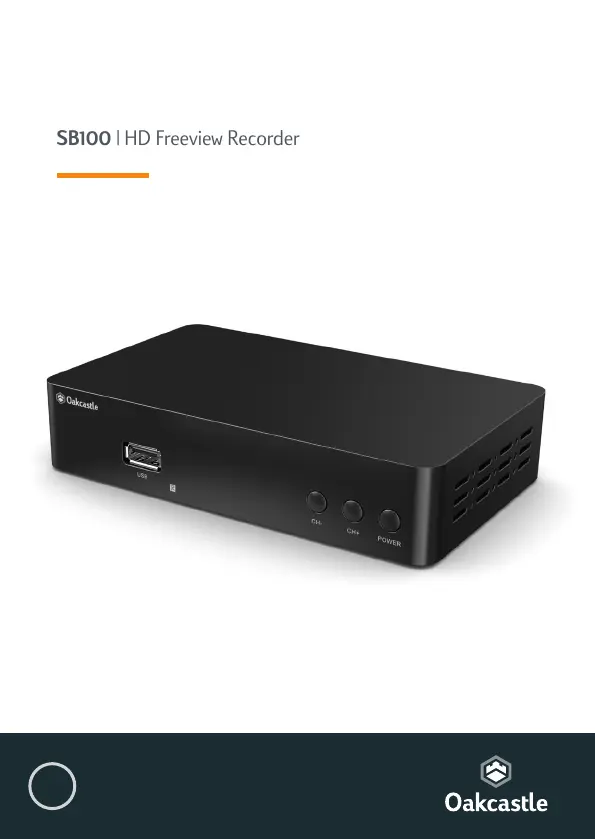
SB100 | HD Freeview Recorder
Instruction Guide
EN

Questions and Answers

Summary

Box Contents

Whats in the Box?

Lists the items included in the product packaging, such as the recorder, remote, and guide.

Controls & Functions

Remote Control Buttons

Details the functions of various buttons on the remote control, identified by numbers for operation.

Controls & Functions

Control Buttons and Ports

Identifies and describes the physical buttons and connection ports on the STB unit.

How to Connect

Connection Guide

Explains how to connect the Freeview box to a TV using HDMI or SCART cables.

Getting Started

Initial Setup Steps

Outlines the initial setup steps for the Freeview Box, including connecting and searching for channels.

Basic Operation

Selecting Channels and Radio Stations

Provides methods for switching between TV and radio channels, including using LCN.

Basic Operation

Volume, Information, Subtitles, and Live TV Control

Covers adjusting volume, viewing program info, enabling subtitles, and pausing live TV.

Managing Favorites

Steps to add channels to a favorites list and select them for quick access.

Organising Channels and Stations

Channel Manager Functions

Accessing and using the channel manager to move, lock, and delete channels.

USB;Multimedia and Recording

USB Media Playback

Accessing and playing music, photos, and films from a USB device.

Recording TV Programs

Instructions for recording TV programs using the REC button.

Record

Scheduling Timed Recordings

How to schedule recordings using the timer function via the blue button.

Record - Configuring PVR Partitions

PVR Partition Setup

Setting up partitions on an HDD for recording programs.

USB Recording Warning

Advises against using USB sticks for recording due to potential damage.

Electronic Program Guide (EPG)

Navigating and Using the EPG

How to view program info, select channels, and schedule recordings via the EPG.

Scanning Channels and Stations

Automatic Channel Search

Steps for performing an automatic scan to find available channels and stations.

Manual Scanning and Audio Settings

Manual Channel Search

How to manually search for specific channels if automatic search fails.

Audio Language and Format Selection

How to select audio language and format for broadcasts.

Audio-Visual (AV) Settings and Options

Picture Settings

Adjusting picture settings like aspect ratio, resolution, TV format, and video output.

System Options Configuration

Configuring OSD language, subtitle, audio, and digital audio settings.

Parental Control and Automatic Power Management

Parental Control Setup

Setting up parental controls and age limits for programs.

Automatic Power On;Off and Sleep Timers

Configuring the STB to switch on/off automatically and set sleep timers.

System Maintenance

System Information and Software Version

Viewing device information like model, software, and hardware versions for support.

Factory Reset and Software Update

Factory Data Reset

How to perform a factory reset to restore default settings and clear data.

Software Update Procedures

Instructions for updating the device's software via USB or FTP.

Network Settings and Apps

Network Configuration

Configuring network connection types (LAN/WiFi) and IP settings for internet access.

Built-in Network Applications

Accessing and using built-in apps like FTP, Weather, RSS, YouTube, and IPTV.

Troubleshooting

Common Issues and Solutions

Common problems, their possible causes, and step-by-step solutions for the Freeview recorder.

Specifications

Technical Specifications Summary

Details of the device's technical features, including video, audio, and connectivity.

Warranty and Registration Information

Information about the product's warranty period, registration process, and extension.

Safety Information

General Safety Precautions

Important safety precautions and guidelines for using the apparatus safely.

Additional Warnings and Environmental Disposal

Specific warnings about liquids, power, heat, and environmentally friendly disposal.

Oakcastle SB100 Specifications

General IconGeneral
BrandOakcastle
ModelSB100
CategoryDVR
LanguageEnglish