5
EN
How to Connect
Instrucon Guide
Connection
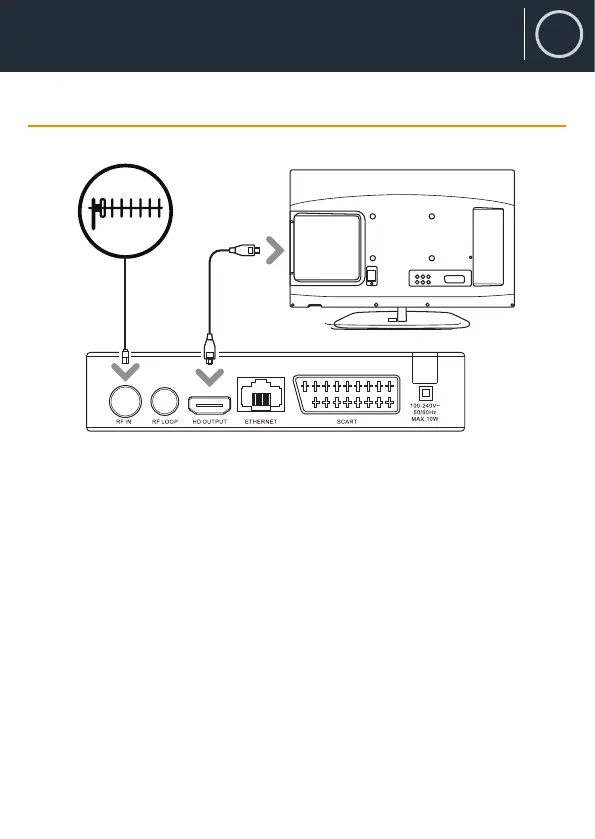
Refer to the diagram above for the connection of your Freeview box to
your aerial and TV using the HDMI slot.
Step 1: Connect your antenna lead to the TV RF IN port (Ref.).
Step 2: Choose an installation method (HDMI (Ref.) or SCART (Ref.))
and follow the steps below.
HDMI - connect an HDMI cable between your TV and the device. HDMI
incprporates both audio and video so there is no requirement to make
separate connections for audio.
SCART - if your TV does not have an HDMI slot, you can connect using
the SCART connection (Ref.).
Rear view of the TV
HDMI Cable
Coaxial Cable
TV aerial


 To Next Page