THUMP PRO USER GUIDE 8
CREATING YOUR OVERDRIVE SONG SELECTION
No matter what the sport or activity, there’s always one song that kicks you into gear. Whatever song fuels you the most, you
can access it instantly with the OVERDRIVE feature. To designate your OVERDRIVE song, do the following:
To play your OVERDRIVE song, press the
Play / Pause
button and the Fast Forward button at the same time.
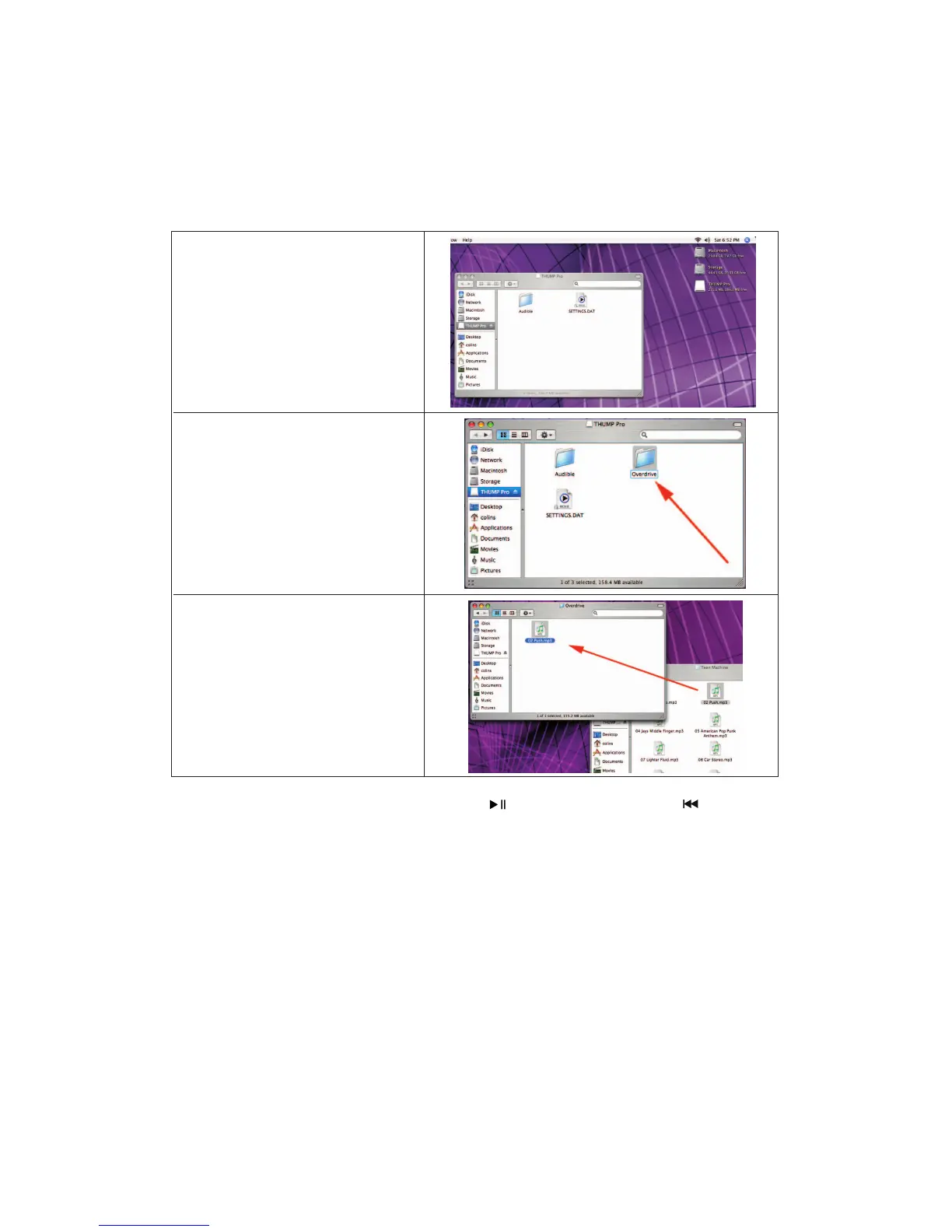
Open the drive labeled “THUMP Pro”.
Create a new folder on the THUMP Pro drive
and name the folder “Overdrive”.
Note that while you can load many files in
this folder, only the first song will be played
when OVERDRIVE is activated.
Drag and drop your desired song into the
“Overdrive” folder.


 To Next Page