THUMP PRO USER GUIDE 11
The selected music files will transfer to THUMP Pro. After the transfer is complete, you may disconnect THUMP Pro from
your computer by following the instructions in the “GETTING STARTED” section.
(To avoid loss of data, always follow the correct procedure for disconnecting THUMP Pro.)
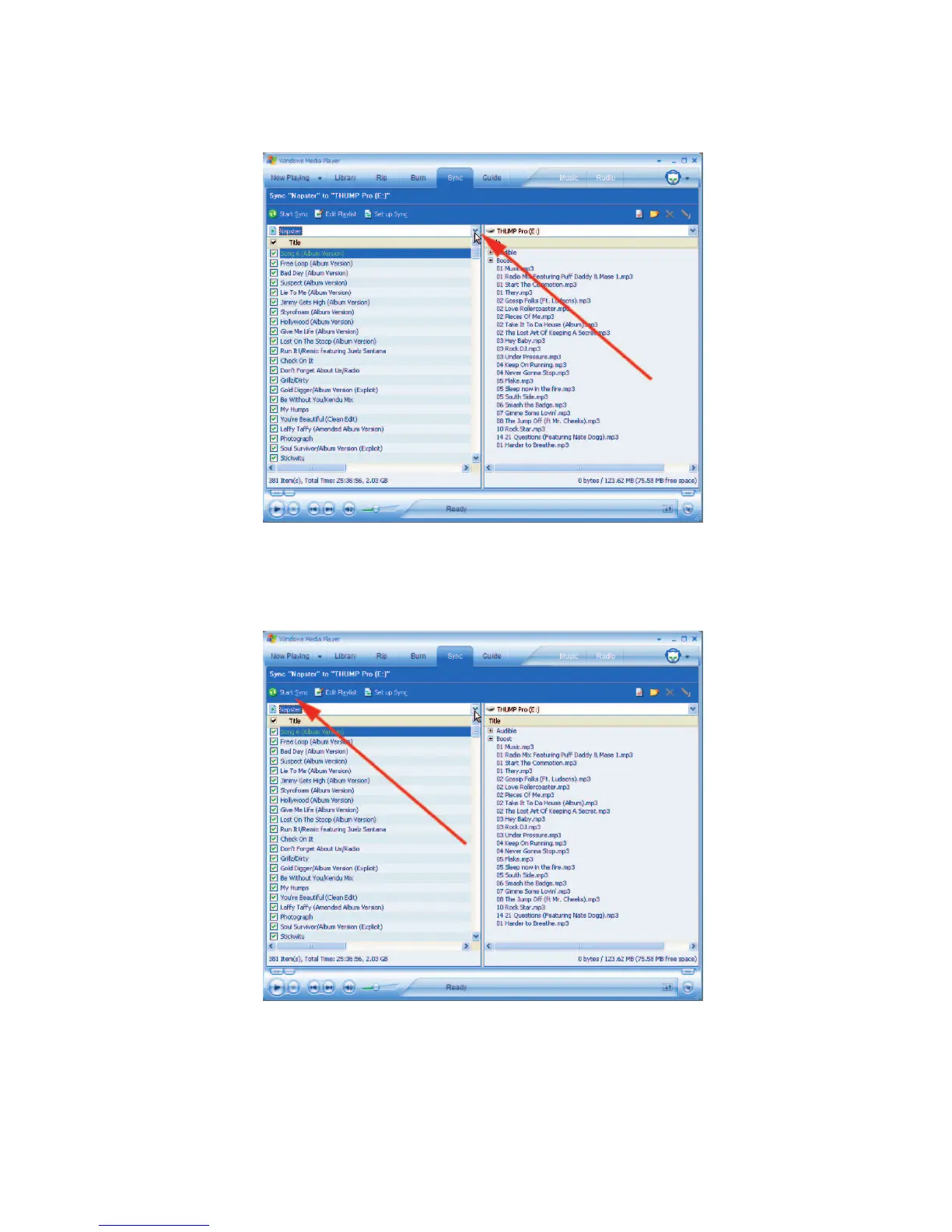
STEP 4: Click the drop-down arrow on the left side and select the music you want to transfer.
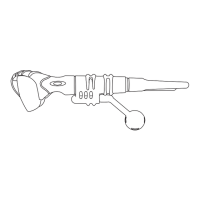
STEP 5: Click the “Start Sync” button.


 To Next Page