EasyManua.ls Logo

Oakton Type J - Self Test; Connecting a Thermocouple

Oakton Type J
28 pages
Print Icon
To Next Page IconTo Next Page
To Previous Page IconTo Previous Page
Loading...
- 8 -
7. SELF TEST
Press
the on/off key. T
he
thermometer
performs
a
self-test
and all
display
di
gits
and
indi
cators,
should
remain
on
for
approximately
one
second
. The
thermometer will then display the
thermocouple thermometer type and
resume to the measurement mode.
8. CONNECTING A THERMOCOUPLE
Use
the
correc
t
thermocouple
t
ype
for
your
instrume
nt.
Using
an
incorr
ect
th
ermocouple
ty
pe
will
resul
t
in erroneous
readi
ngs. T
hermocouples are
color
coded
by
t
ype
using
th
e North
American
ANSI
Color
Code
as
follo
w
s:
TYPE COLOR
J
Black
K Yello
w
T Blue
T
hermocouple
connectors
have
one
wide
blade
and
one
narrow
bla
de.
Do
not force
connector
in
backward
s.
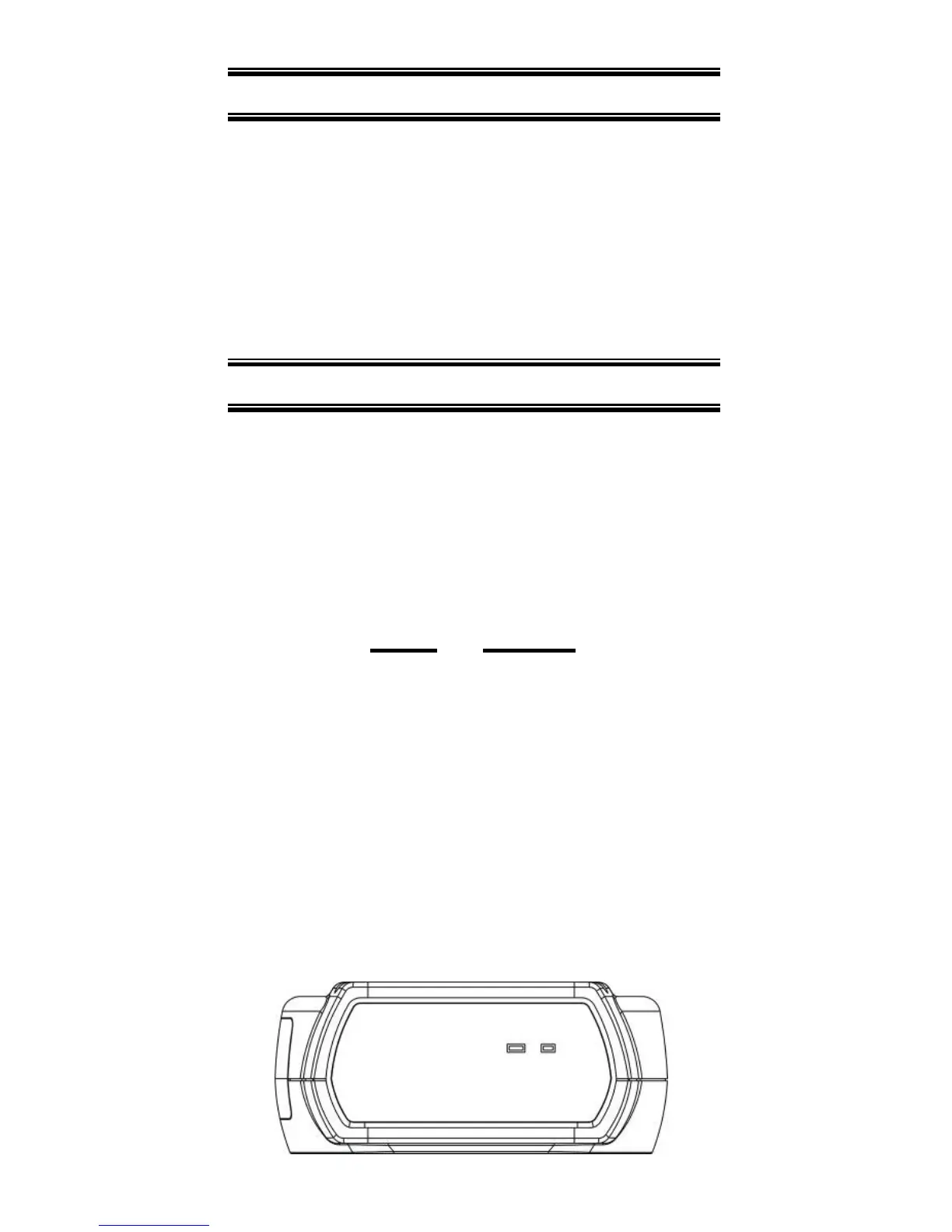
Con
nect
thermocouple
to
receptacle
at
top of
instru
ment
as
shown
in
th
e
follo
wing
ill
ustration.

Related product manuals