EasyManua.ls Logo

Oase Bitron 55C - User Manual

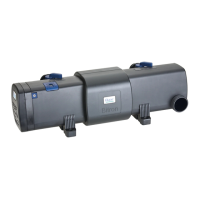
Oase Bitron 55C
48 pages
Print Icon
To Next Page IconTo Next Page
Loading...
1
Warranty, Safety and
Operating Instructions
Garantie, mode d'emploi
et consignes de sécurité
Garantia, Instructivo
de Seguridad y de
Operaciones
18C – 55C
Bitron
26866/01D
95-08 26866 Bitron_USA.p65 22.01.2008, 15:531

Questions and Answers

  • J
    jesus33Aug 6, 2025
    What to do if there is no water flow at the water outlets of Oase Bitron 55C?
    • M
      Maria RileyAug 7, 2025
      If there's no water flow at the water outlets of your Oase Water Pump, it could be due to a blocked flow nozzle. To fix this, disconnect the power supply and switch off the pump. Another possible cause is dirty water outlets, which would require cleaning the flow nozzle or the water outlets.
  • T
    tdiazAug 21, 2025
    Why is my Oase Water Pump water cloudy?
    • J
      Jaime OconnorAug 22, 2025
      Cloudy water can occur for several reasons. It may be due to a faulty UVC lamp connection, which requires checking the electrical connections. The cleaning rotor or quartz glass tube may be soiled, so cleaning is needed. An incorrect pump flow rate could also be the reason; refer to the installation guide for the correct flow rate. Other causes include brown suspended material or deposits, which means you should remove algae and leaves, and prevent dirt from entering. If the pond is extremely dirty, check the water values and change the water. If the UVC lamp has no capacity, check and replace it after 8,000 hours of use. Finally, an incorrect bypass adjustment can cause cloudiness; check the setting and note the pump capacity.

Summary

1. Symbols

2. Appropriate use of device

3. Important Safety Instructions

4. General Safety Instructions

5. Electrical connection

6. Ground fault circuit interrupter (GFCI) protection

7. Installation

7.1 Device overview

Diagram showing the parts of the Bitron with labels A through H.

7.2 Setting up the Bitron

7.2.1 Single-unit setup with hoses

Steps for anchoring the Bitron and connecting hoses for standalone use.

7.2.2 Connection to Biotec 5;10;30 and Biotec 5.1;10.1

Instructions for connecting the Bitron to specific Biotec filter systems.

7.2.3 Connection to Biotec 12;18;36

Instructions for connecting the Bitron to other Biotec filter systems.

7.3 Hose connection

7.3.1 Water intake D

7.3.2 Water discharge A and C (only for single-unit setup)

8. Placing in service

8.1 Bypass settings

Explanation of how to adjust water flow using bypass handles.

9. Maintenance

9.1 Replacing the UVC bulb

Step-by-step guide for replacing the UVC bulb.

9.2 Replace cleaning rotor

10. Cleaning

10.1 Automatic cleaning

Explanation of the automatic cleaning function of the rotor.

10.2 Cleaning the quartz class sleeve

Detailed steps for cleaning the quartz glass sleeve.

10.3 Clean inspection glass

11. Storage;winter care

12. Repair

13. Disposal instructions

14. Troubleshooting in case of malfunction

15. Parts subject to wear

16. Device overview:

17. Technical data

18. LIMITED WARRANTY

Oase Bitron 55C Specifications

General IconGeneral
BrandOase
ModelBitron 55C
CategoryWater Pump
LanguageEnglish

Related product manuals