Installation
3
1.2 Install Unity Web Player
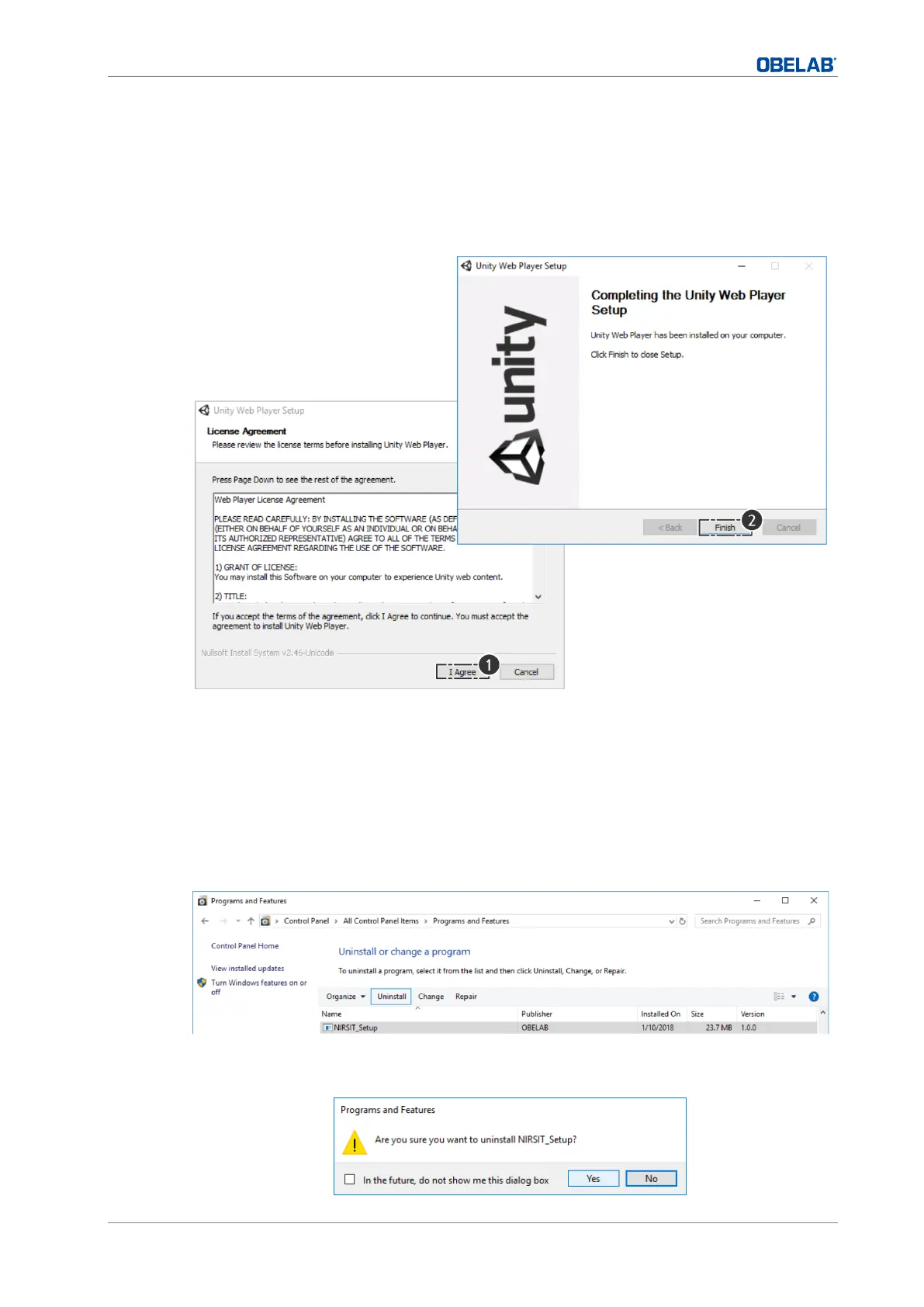
To display the unity 3D brain model, setup the Unity Web Player.
▪ Click the UnityWebPlayerFull.exe icon to install the Unity Web Player.
1.3 Remove existing program
1 If you already have a previous version of NIRSIT program on your PC, you should remove
it from the control panel first.
The access path is as follows:
Control Panel ▶ Programs ▶ Programs and Feature ▶ “NIRSIT_Setup” Uninstall.
2 Once the previous version is completely removed, install the new “NIRSIT_Setup.msi”
version.


 To Next Page