EasyManua.ls Logo

Oberheim XK - Setting The Key Transpose; Setting MIDI Mono; Setting Pressure

Oberheim XK
41 pages
Print Icon
To Next Page IconTo Next Page
To Previous Page IconTo Previous Page
Loading...
ZONES
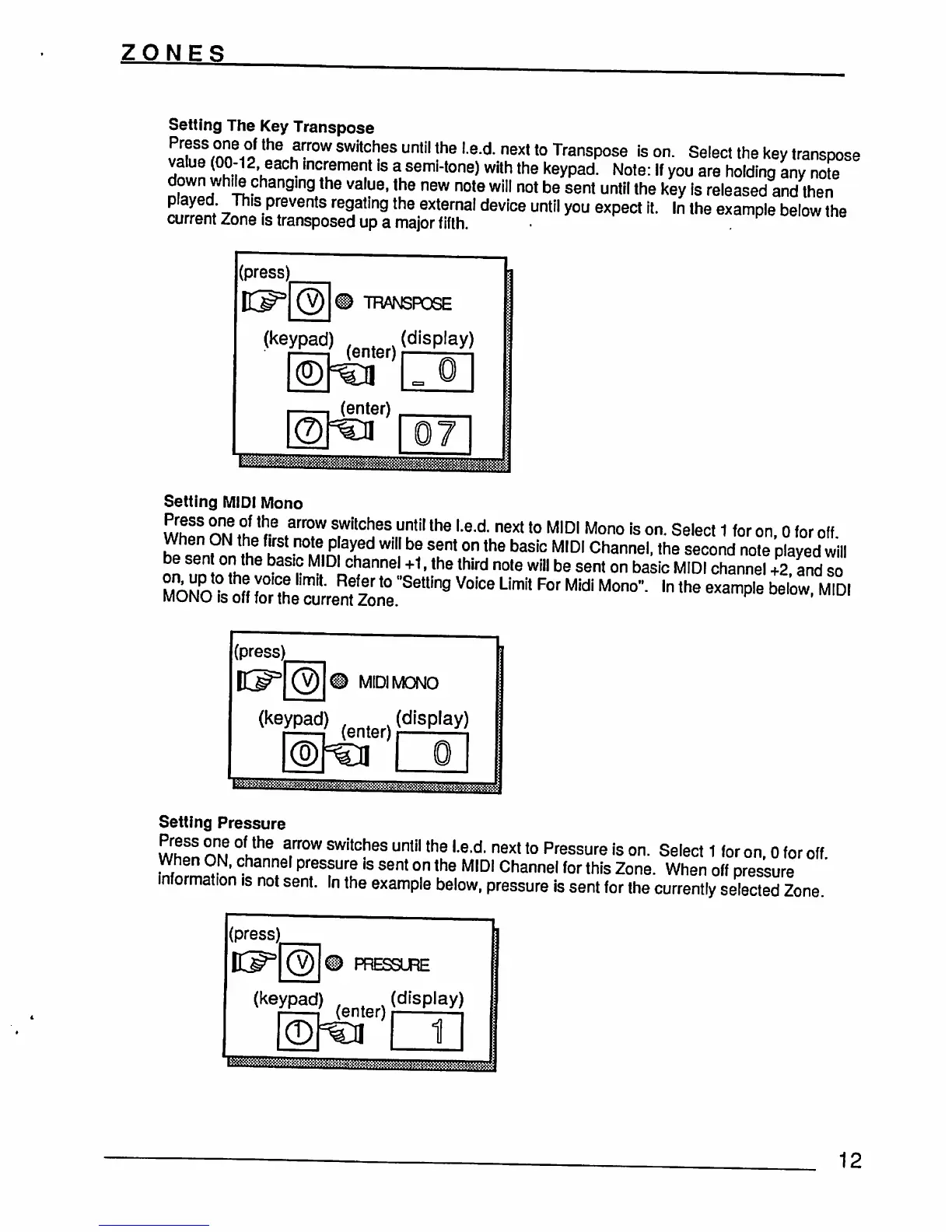
Setting
The Key
Transpose
TlfomnVJthe
^f0W
SWitCheS
Until
the
Ied
next
t0
Transpose
Is
on.
Select
the
key
transpose
value
(00-12
each
increment
is
a
semi-tone)
with the
keypad.
Note:
If
you
are
holding
any
note
down
while
changing
the
value,
the
new
note
will
not
be
sent
until
the
key
Is
released
and
then
played
This
prevents
regating
the
external
device
until
you
expect
it.
In
the
example
below
the
current
Zone
is
transposed
up a
major
fifth.
Setting
MIDI
Mono
Whfn
nnr!?h
*?
FT
S,WllCheS
Until
lhe
Le'd
next
t0
MIDI
Mono
ls
on-
Select
1
for
on,
0
for
off
When
ON
the
first
noe,
played
will
be
sent
on
the
basic
MIDI
Channel,
the
second
note
played
will
*?nn
°"the
***
M'DI channel
+1,
the
third
note
will
be
sent
on
basic
MIDI
channel
+2,
and
so
S^
df
Zte:L^ne'Se[{]n9
^
LM
**
*"
^
h
the
eXampIe
bel°W'
MIDI
(press)
MIDI
MONO
(keypad)
(g
(display)
»«^^^
Setting
Pressure
SWltC!ieS
untH
the
Le>d-
next
t0
Pressure
ls
on-
Select
1
for
on,
0
for
off
psure
is
sent
on
the
MIDI
Channel
for
this
Zone.
When
off
pressure
information
is
not
sent.
In
the
example
below,
pressure
is
sent
for
the
currently
selected
Zone
(press)
PRESSURE
(keypad)
(enter)(dlSplay)
1
12