EasyManua.ls Logo

Oberheim XK - ARPEGGIATOR; Arpeggiate On;Off; Arpeggiator Play Order; Arpeggiator Play Mode

Oberheim XK
41 pages
Print Icon
To Next Page IconTo Next Page
To Previous Page IconTo Previous Page
Loading...
ARPEGGIATOR
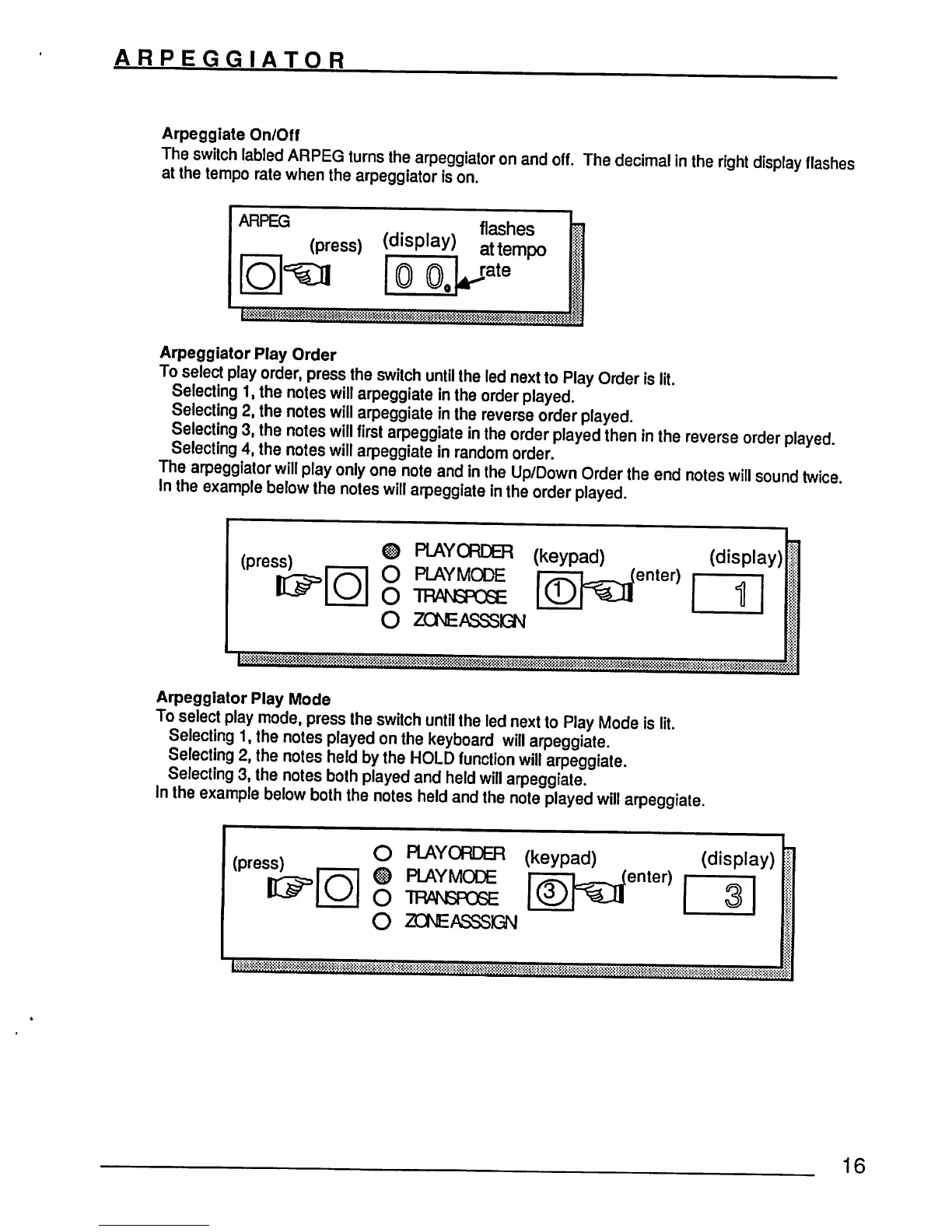
Arpeggiate On/Off
The
switch
labied
ARPEG
turns
the
arpeggiator
on
and
off.
The
decimal
in
the
right
display
flashes
at
the
tempo
rate
when
the
arpeggiator
is
on.
&&jS$J88$Sgj:;$^^
Arpeggiator
Play
Order
To
select
play
order,
press
the
switch
until
the
led
next
to
Play
Order
is
lit.
Selecting
1,
the
notes
will
arpeggiate
in
the
order
played.
Selecting
2,
the
notes
will
arpeggiate
in
the
reverse
order
played.
Selecting
3,
the
notes
will
first
arpeggiate
in
the
order
played
then
in
the
reverse
order
played
Selecting
4,
the
notes
will
arpeggiate
in
random
order.
The
arpeggiator
will
play
only
one
note
and
in
the
Up/Down
Order
the
end
notes
will
sound
twice
In
the
example
below
the
notes
will
arpeggiate
in
the
order
played.
(press)
©
PLAYORDER
O
PLAYMODE
O
TRANSPOSE
O
ZCNEASSSKBN
(keypad)
enter)
(display)
1
Arpeggiator
Play
Mode
To
select
play
mode,
press
the
switch
until
the
led
next
to
Play
Mode
is
lit.
Selecting
1,
the
notes
played
on
the
keyboard
will
arpeggiate.
Selecting
2,
the
notes
held
by
the
HOLD
function
will
arpeggiate.
Selecting
3,
the
notes
both
played
and
held
will
arpeggiate.
In
the
example
below
both
the
notes
held
and
the
note
played
will
arpeggiate.
(press)
O
PIAYORDER
®
PIAYMODE
O
TTWJSPOSE
O
20TvEASSSiGN
(keypad)
enter)
(display)
m
16