EasyManua.ls Logo

Oberheim XK - MASTER PROGRAM; What is Programmable?; Selecting A Master Program; Storing A Master Program

Oberheim XK
41 pages
Print Icon
To Next Page IconTo Next Page
To Previous Page IconTo Previous Page
Loading...
MASTER
PROGRAM
What
is
Programmable?
-
Parameters
of
all
3
zones
-
Velocity
scale
-
Continuous
Controller
Value
for
all
3
zones
-
Mod
Lever
Negative
Controller
Value
for
all
3
zones
-
Foot
Switch
Controller
Value
for
all
3
zones
-
Arpeggiator
Play
Order
-
Arpeggiator
Mode
-
Arpeggiator
Transpose
-
Arpeggiator
Zone
Assignment
-
Arpeggiator
Tempo
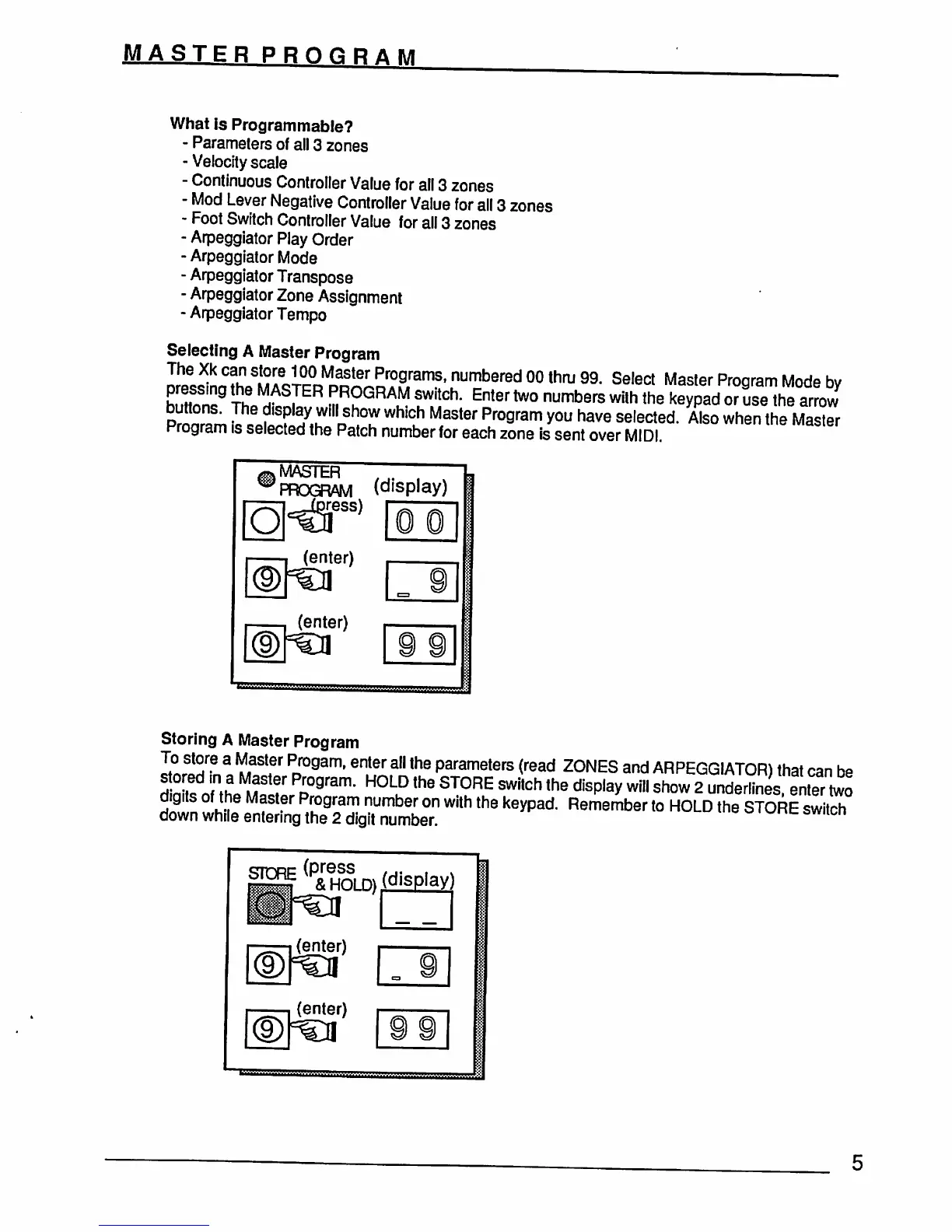
Selecting
A
Master
Program
22
2S^™TP~^
numbofTBd
<X>
thru
99.
Select
Master
Program
Mode
by
Lh
^
PROGRAM
switch.
Enter
two
numbers
with
the
keypad
or
ise
the
arrow
p™
1?
?'Sf'h^'d
hT
WhiCh
MaSter
Program
*°u have
seIected-
A'so
wh*n
the
Master
Program
is
selected
the
Patch
number
for
each
zone
Is
sent
over
MIDI
MASTER
7"
PROGRAM
(display)
)ress)
Storing
A
Master
Program
I?nTr!?
3
Iff?'
PDf09am'enter
a"lhe
Parameters
(^ad
ZONES
and
ARPEGGIATOR)
that
can
be
dfaZo
thJ
iZJT
p°9ram-
H°LuD
the
ST0RE
SWltch
the
disP|ay
wl»
show
2
underlines,
enter
two
d«gits
of
the
Master
Program
number
on
with
the
keypad
Remember
to
HOLD
the
STORE
switch
down
while
entering
the
2
digit
number.
lcn
(enter)
=cii
(enter)
(display)
O
O