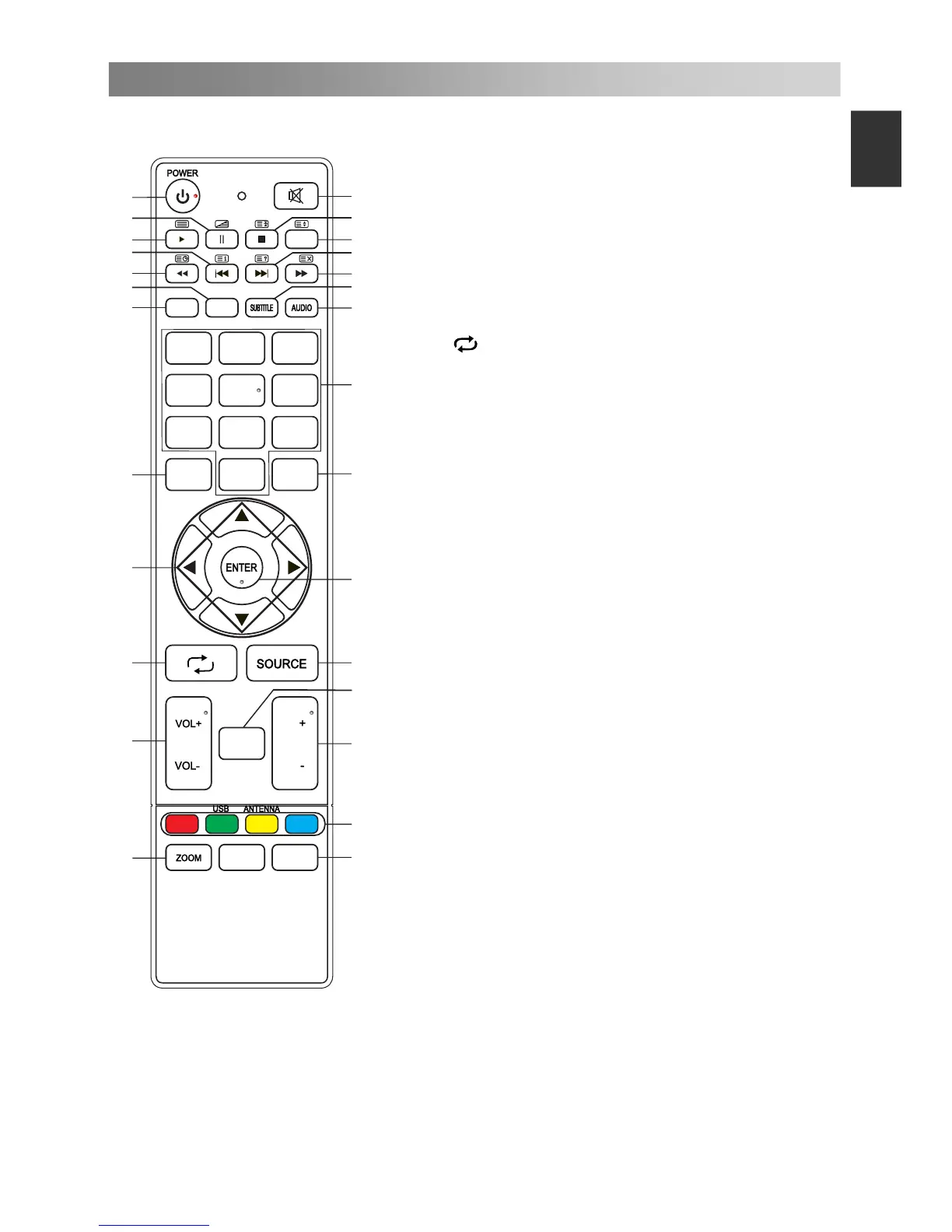
Remote Control
NOTE:
All pictures in this manual are examples, only for reference, actual product may differ
from the pictures.
The buttons not mentioned here are not used.
15. NUMBER BUTTONS: Choose channels
or password importation.
16. MENU: Press to enter the menu screen
for various optional adjustable settings.
17. EXIT: Exit OSD Menu.
18. ▲/▼/◄/►: To select the direction.
19. ENTER: Press to execute the selected
item in the menu screen.
20.
: Return to last viewed program.
21. SOURCE: Press to select signal source.
22. VOL+/VOL-: Press to adjust the volume
level up or down.
23. LIST: Press to call up the channel list.
Press again to exit it.
24. CH+/CH-: Press to select channels in
ascending or descending order.
25. COLOR BUTTONS: Red/ green/ yellow/
blue key navigation link.
USB: Press to enter the USB mode.
ANTENNA: Press to select an antenna
source.
SAT.LIST: Press to call up the satellite
list. Press again to exit it. (Satellite
signals only)
26.
27.
ZOOM: Press to select different images
sizes.
FAV: Press to call up the favorite list.
Press again to exit it.
4
5
6
7 8 9
0
MENU
EXIT
FAV
1 2
3
INFO EPG
1
2
3
6
7
4
5
8
9
10
11
12
13
14
15
16
17
18
19
20
21
22
23
24
25
LIST
CH
CH
SAT.LIST


 To Next Page