Menu Operation
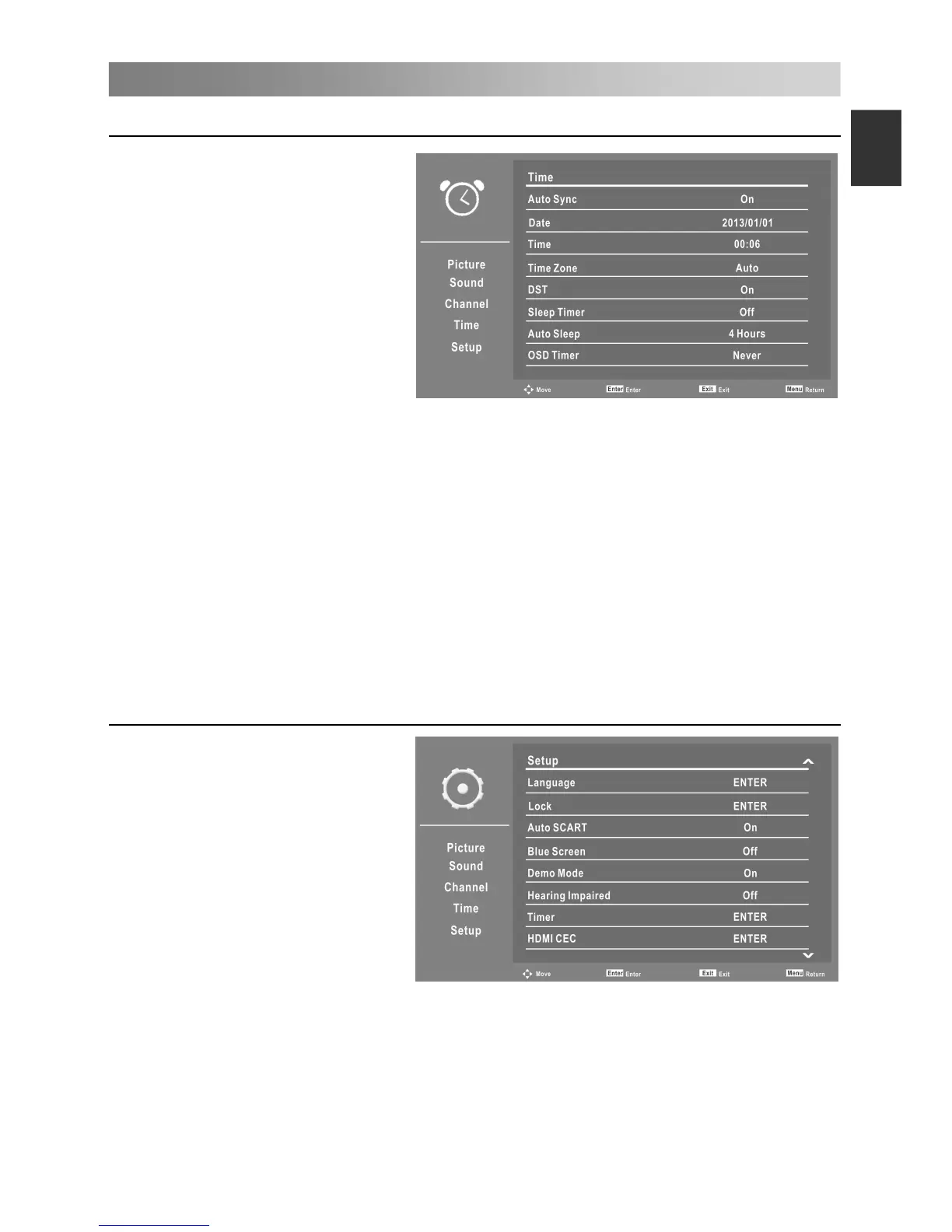
Configuring the Time Menu
• Auto Sync
Press the ▲/▼ button to select
Auto Sync On or Off.
Set Auto Sync to Off, then you
can set the Date and Time
manually.
• Date
Press the number buttons to set
the date.
• Time
Press the number buttons to set
the time.
• Time Zone
Select your time zone.
When the Auto Sync is On, Time Zone can be adjusted by users.
• DST (Daylight Saving Time)
When Time Zone set to any time, this item is available to enable daylight saving option
or not.
• Sleep Timer
Select the time to turn the TV to standby mode automatically.
• Auto Sleep
Select the Auto Sleep time you want.
• OSD Timer
Select On-Screen Menu displaying time.
Configuring the Setup Menu
• Language
Press the ENTER button to
access the submenu.
– OSD Language: Press the ▲/▼
button to select On Screen
Display language.
– 1st Preferred Subtitle (In DTV
mode): Press the ▲/▼
button to select 1st Preferred
Subtitle language.
– 2nd Preferred Subtitle (In DTV
mode): Press the ▲/▼
button to select 2nd Preferred Subtitle language.
– 1st Preferred Audio (In DTV mode): Press the ▲/▼ button to select 1st Preferred
Audio language.
– 2nd Preferred Audio (In DTV mode): Press the ▲/▼ button to select 2nd Preferred
Audio language.
– DTV Teletext Language: Press the ▲/▼ button to select Digital Teletext Language.
– ATV Teletext Language: Press the ▲/▼ button to select Analog Teletext Language.


 To Next Page