Remote Control
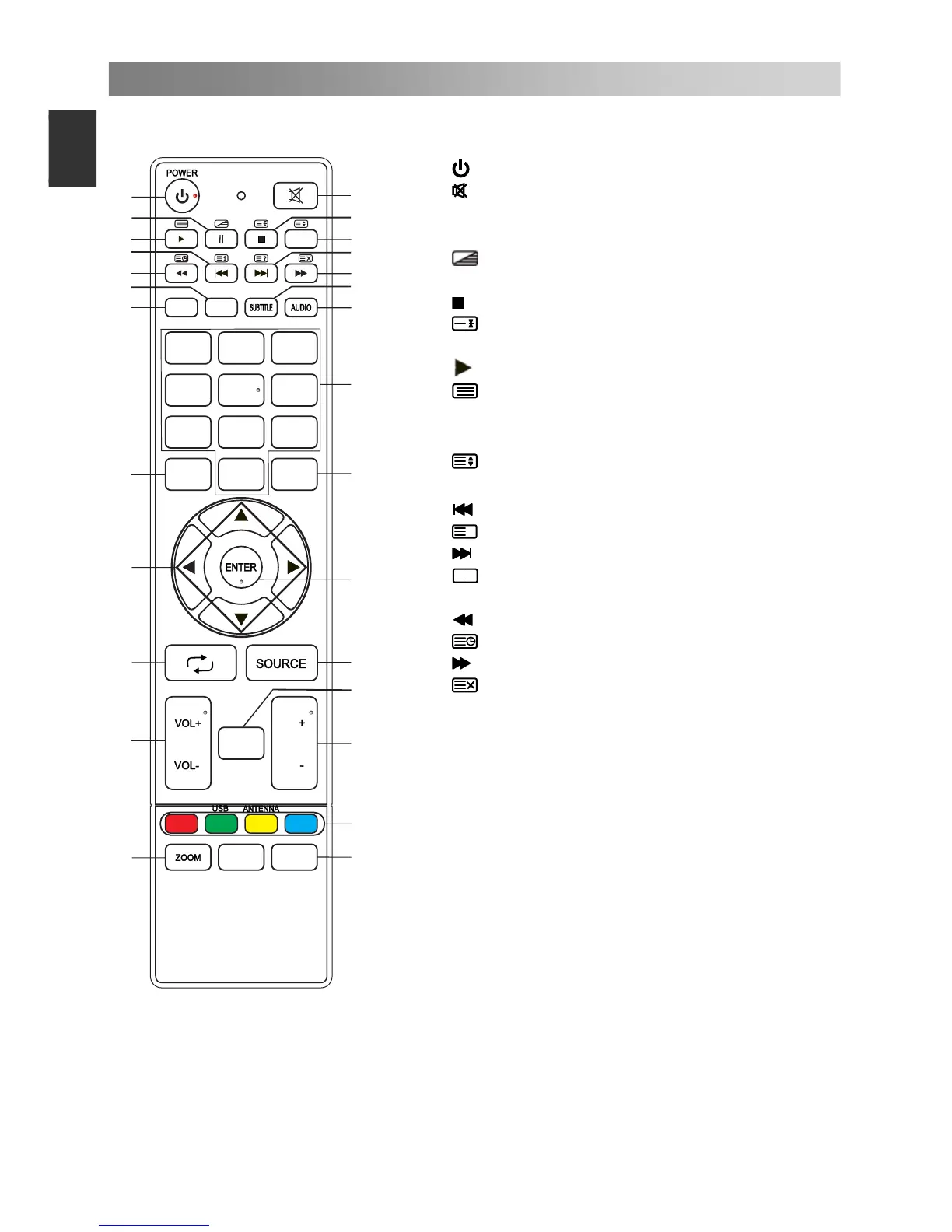
The buttons of the original remote control are as following:
1.
: Power, switch on or off TV set.
2.
: Press to mute or restore sound.
3. II: Pause (in USB mode). Press to enter
the Time shift menu.
: MIX the teletext and signal in
teletext page.
4. : Stop (in USB mode).
: Hold the teletext page on display,
press again to release.
5. : Play (in USB mode).
: Enter the Teletext, press again
for MIX mode, and press this button
again to exit.
6.
: Change size of teletext screen in
display mode.
7.
: Previous (in USB mode).
i
: Go to the index page.
8.
: Next (in USB mode).
?
: Reveal the hidden information of
some teletext pages.
9. : Fast reverse (in USB mode).
: Enter subtitle mode or subpage.
10.
: Fast forward (in USB mode).
: Cancel the teletext but not to exit
teletext, press again to exit.
11. EPG: Electronic Programme Guide,
use in the DTV mode.
12. SUBTITLE: Select the subtitle
language of available.
13. INFO: Press to display the current
program information on the screen.
14. AUDIO: The button can be used to
switch between DUAL I/ DUAL II/
DUAL I+II/MONO/Stereo and switch
Audio language in DTV mode.
4
5
6
7 8 9
0
MENU
EXIT
FAV
1 2
3
INFO EPG
1
2
3
6
7
4
5
8
9
10
11
12
13
14
15
16
17
18
19
20
21
22
23
24
25
LIST
CH
CH
SAT.LIST


 To Next Page