22 Océ 940 User manual
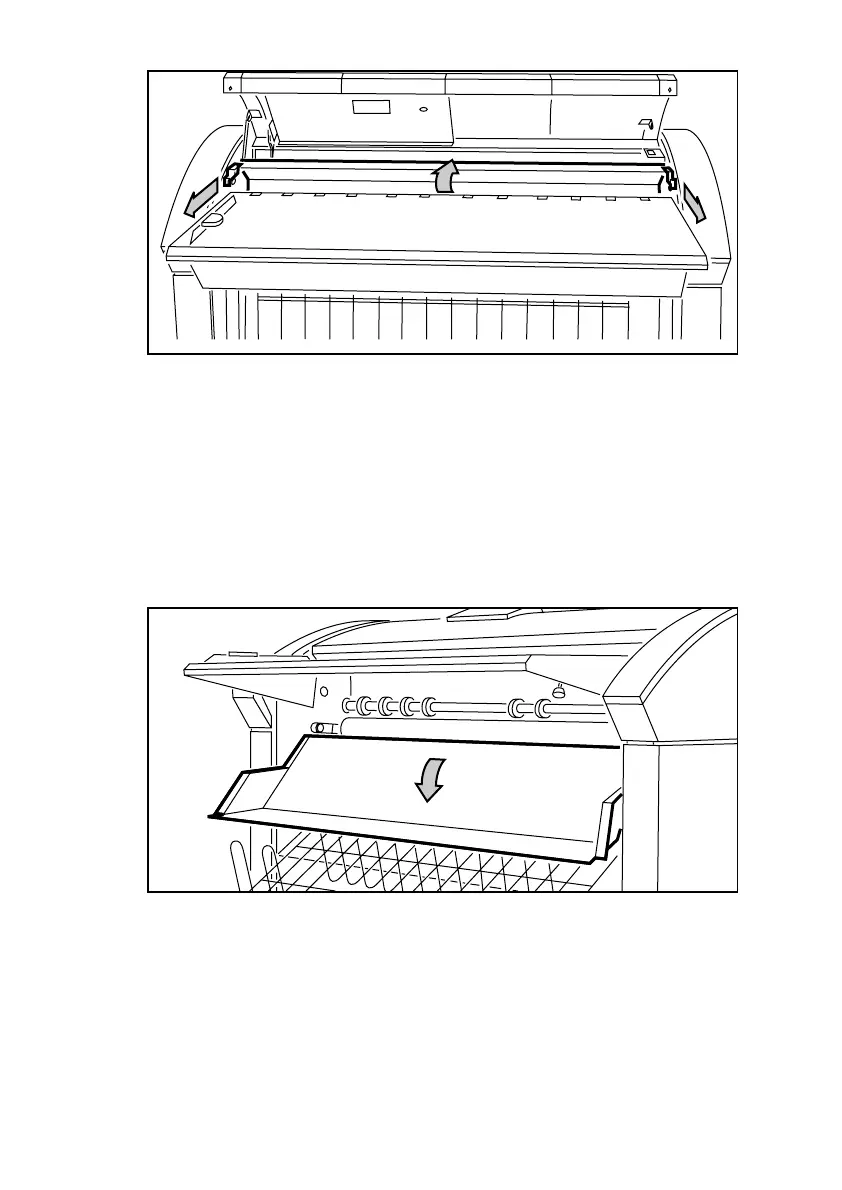
[11] Pulling the two green handles and opening the guide plate
5 Remove the copy.
6 Push back the green handles and close the guide plate.
Note: Check thoroughly that no scraps of paper or other material are left
behind.
7 Close the top cover.
If it is not possible to remove the copy:
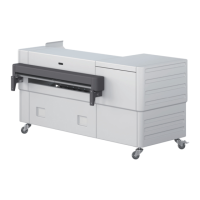
8 Remove the knurled nuts at the left and right side, below the feed table (see
figure 12).
[12] Unscrewing the knurled nuts
9 Remove the copy.
10 Reposition the knurled nuts.
Note: If you can not solve the problem, call for Océ Service.


 To Next Page