Graphical User Interface via Android device
Introduction
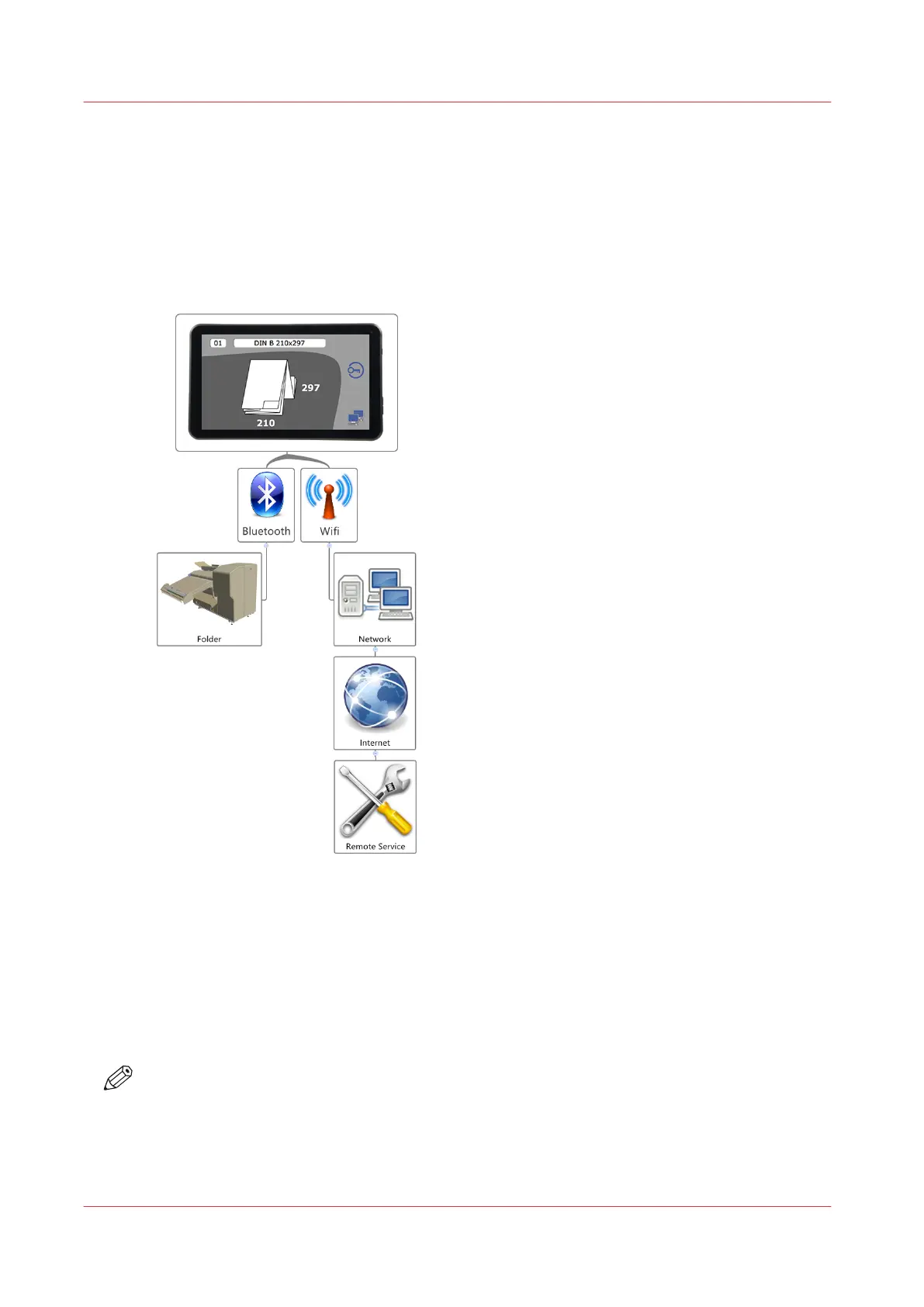
The folding device is equipped with a 7" Android Tablet PC, which is connected to the folder via
Bluetooth. This device has no battery and gets power from an internal USB port.
The tablet and the Folder App are starting as soon as the folder has been switched on.
It is optional to integrate the folder into your network. This would give your service organization
the opportunity to support you remotely.
The following actions are possible by remote service:
• changing values
• customizing folding programs
• updating firmware
• taking log files in case of a malfunction
• checking devices, e.g.: sensors
NOTE
The responsibility for integrating the tablet device into the network has to be taken over by the
user. The risk is the same as for all other Android devices. The Android version is 4.2.2 and
cannot be updated.
If you are not familiar with this technology, it is strongly recommended to stay offline with the
folder.
Graphical User Interface via Android device
22
Chapter 4 - Tablet PC tutorial


 To Next Page