How to use the purge function
Introduction
Symbol Type of symbol Indicates
CAUTION
In order to guarantee hazard-free operations it is strongly rec-
ommended that any maintenance or repair work is only car-
ried out by trained personnel. Ignoring this warning could
cause injury or damage to property.
CAUTION
Do not open the bridge and do not remove the prints manually.
Always use the purge function first.
When to do
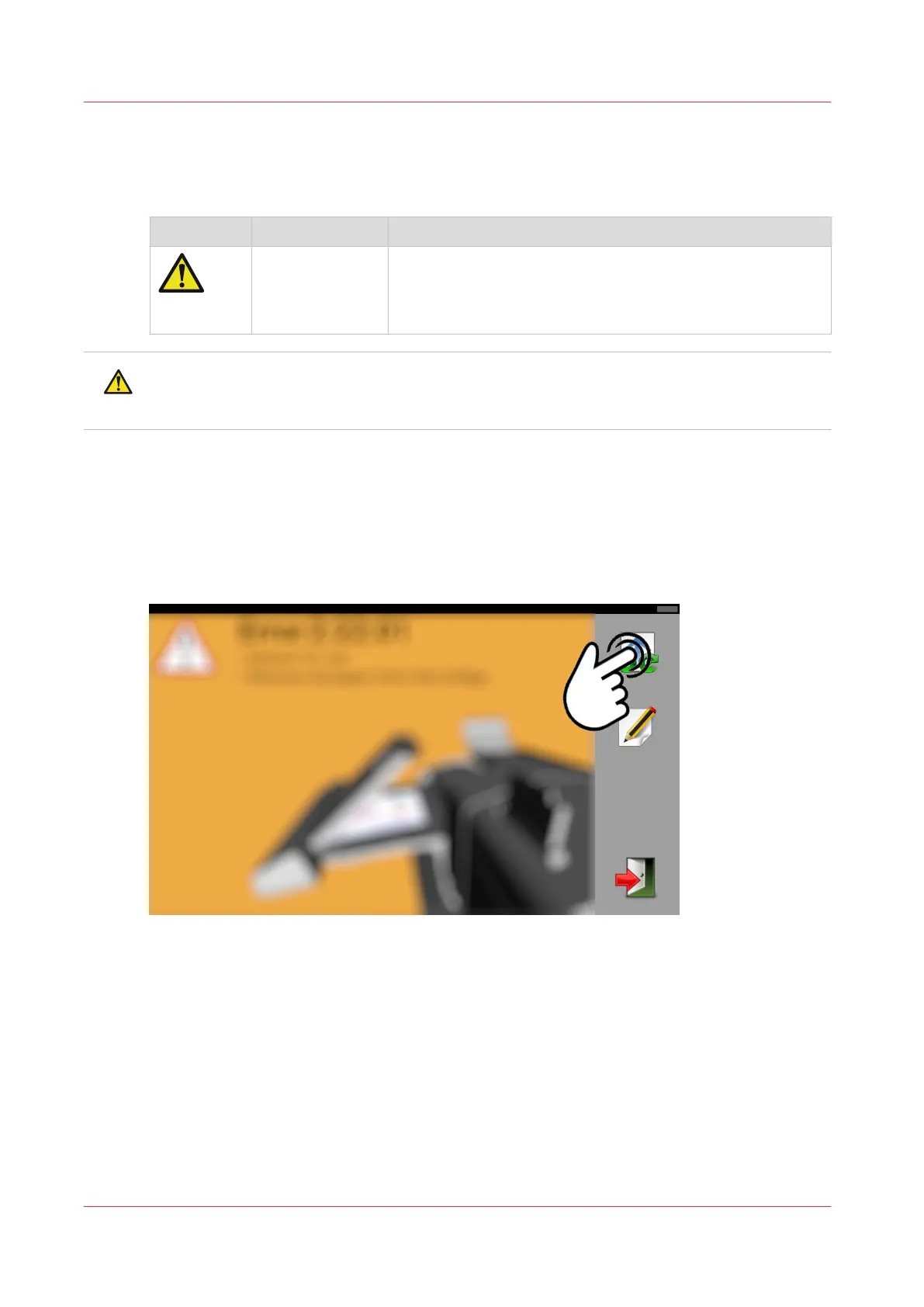
On the screen of the folder, there is an error message, for example "#3:82:01".
Procedure
1.
Tap and hold the purge button.
2.
If the cleaning phase is passed, you can stop to hold the button.
3.
Finally check the folder. It should be empty of any packages.
How to use the purge function
40
Chapter 6 - Trouble shooting


 To Next Page