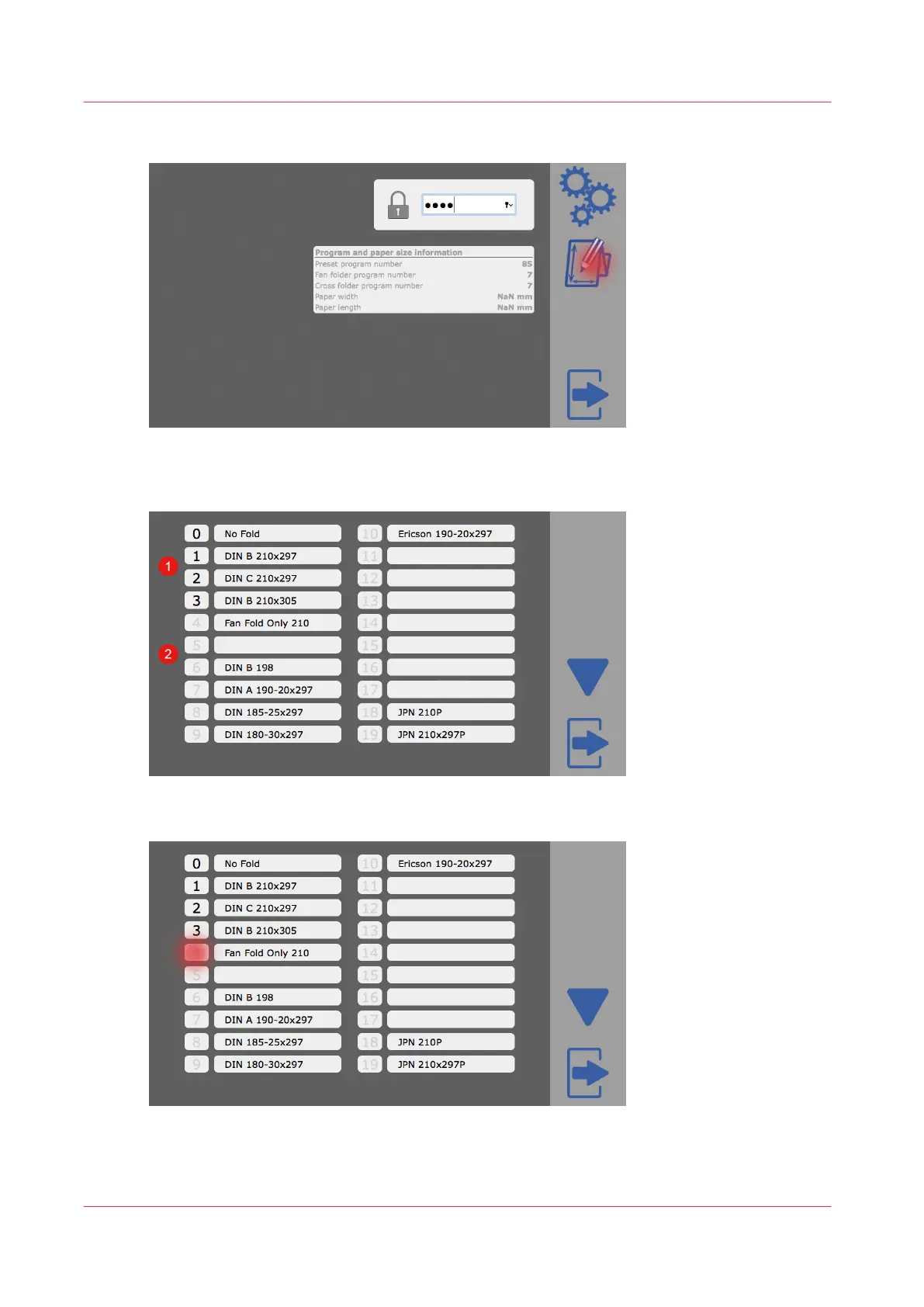
3.
Tap on the program editor icon.
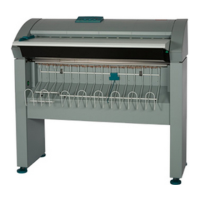
The program editor selection opens. Dark numbers show activated folding programs (1). Light
gray numbers show deactivated folding programs (2).
4.
Tap on a number to activate the folding program.
5.
Tap on the exit icon to close the program editor.
The machine will restart.
Add a folding program from the list of available programs
26
Chapter 4 - Tablet PC tutorial


 To Next Page