3.
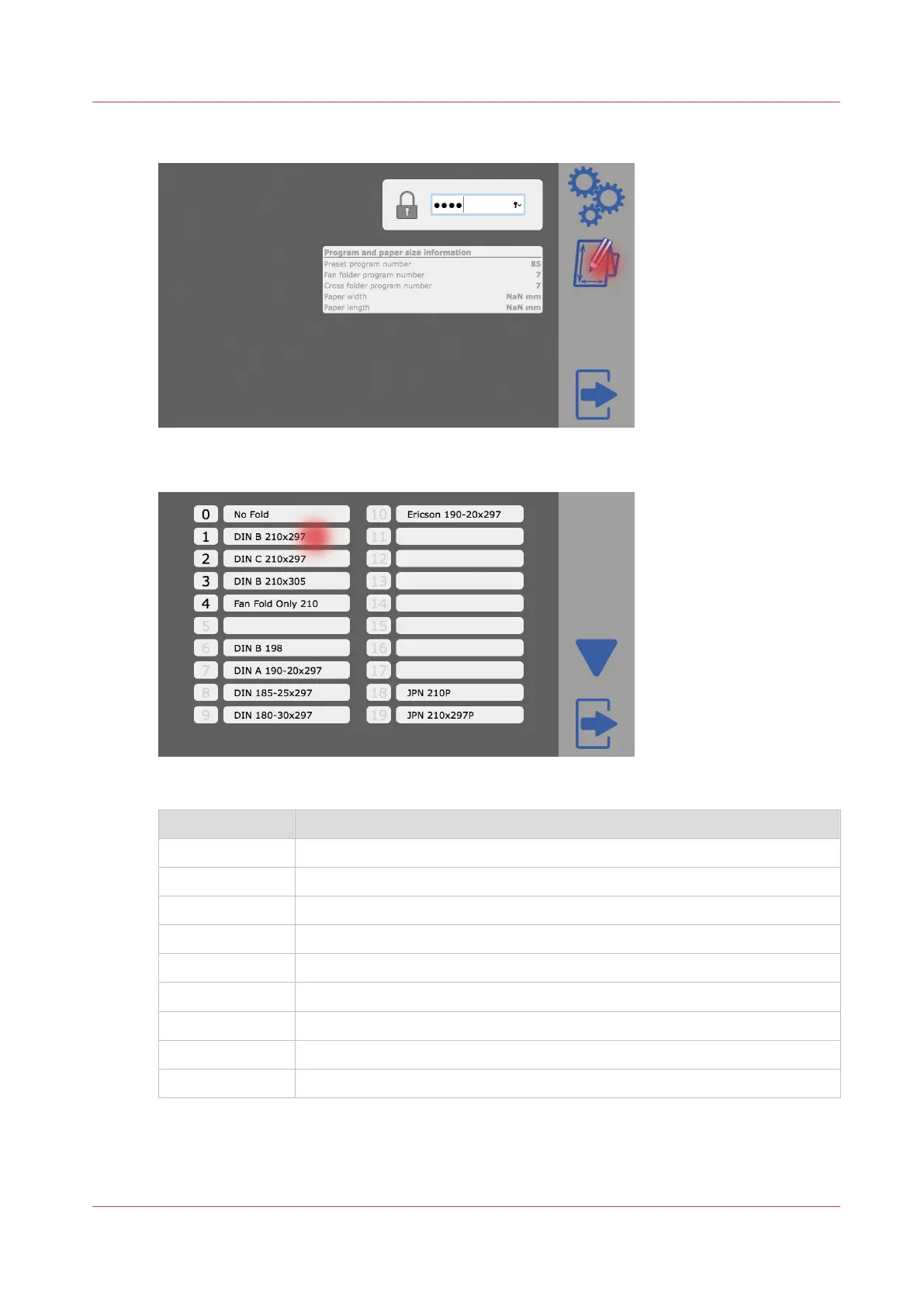
Tap on the program editor icon.
4.
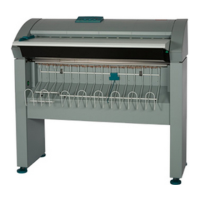
Tap on the program you want to edit.
5.
Choose the required actions from:
Label Action
1 Edit the name of the folding program.
2 Edit the packet width or fan fold.
3 Edit the packet height or cross fold.
4 Edit the binding margin.
5 Select between compensated (DIN B) or regular (DIN C) folding style.
6 -
7 Delete folding program.
8 Save changes and exit.
A Discard changes and exit.
Customize a folding program
Chapter 4 - Tablet PC tutorial
29


 To Next Page