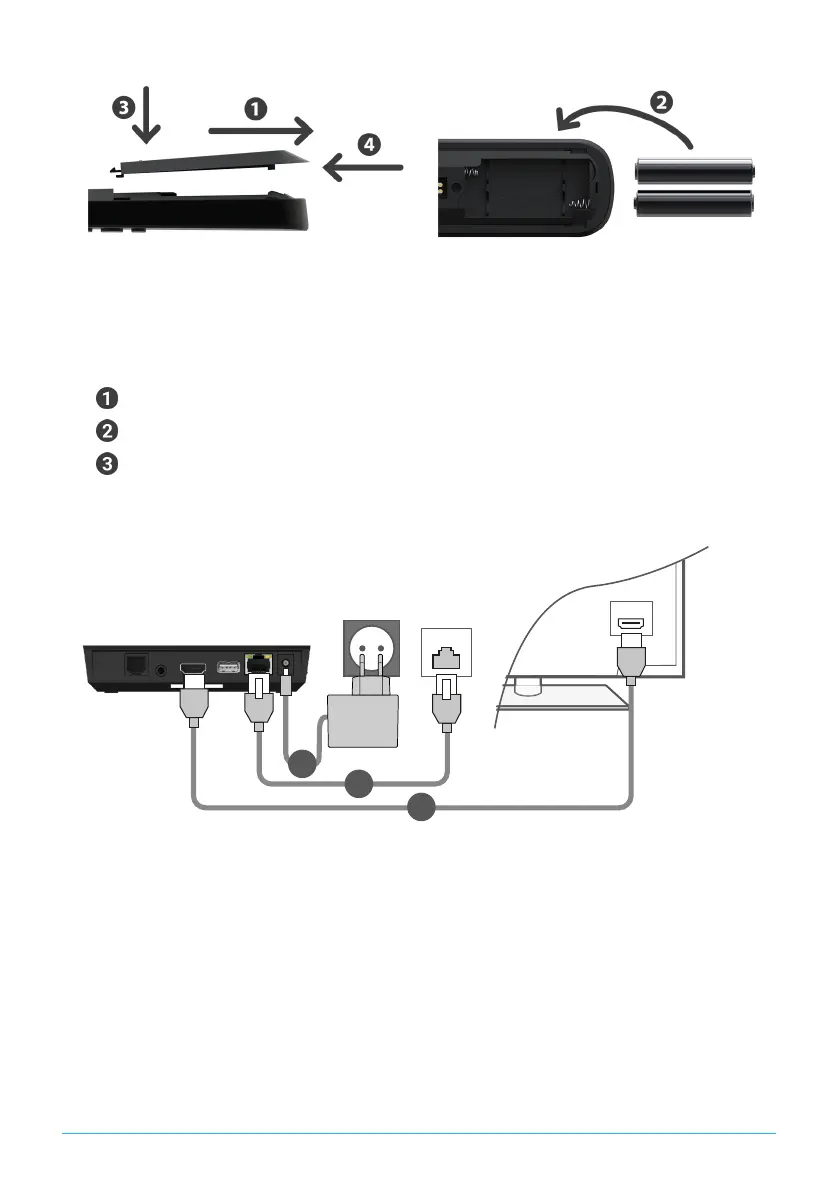
Figure 2: Inserting the batteries
5.2 Cable connections
1. Connect the set-top box as shown in Figure 3 on page 7. Observe the
correct connection sequence:
HDMI
®
cable
Network cable
Power supply
2. Turn on your TV set.
Figure 3: Cable connections
5.3 Pairing the remote control
When the set-top box is used for the first time, the remote control is automatically
detected.
1. Wait until a remote control symbol is displayed on the TV set.
2. Press the button OK to start the automatic detection.
3. The remote control is now paired with the set-top box. Pairing can take a few
minutes.
P520 IP | 7


 To Next Page