Version 2
6) The headset has built in speaker system - volume can be adjusted using the
volume button located on the top of the headset.
7) Headphones can be used if needed – the headphone jack inlet is located next
to the micro USB port.
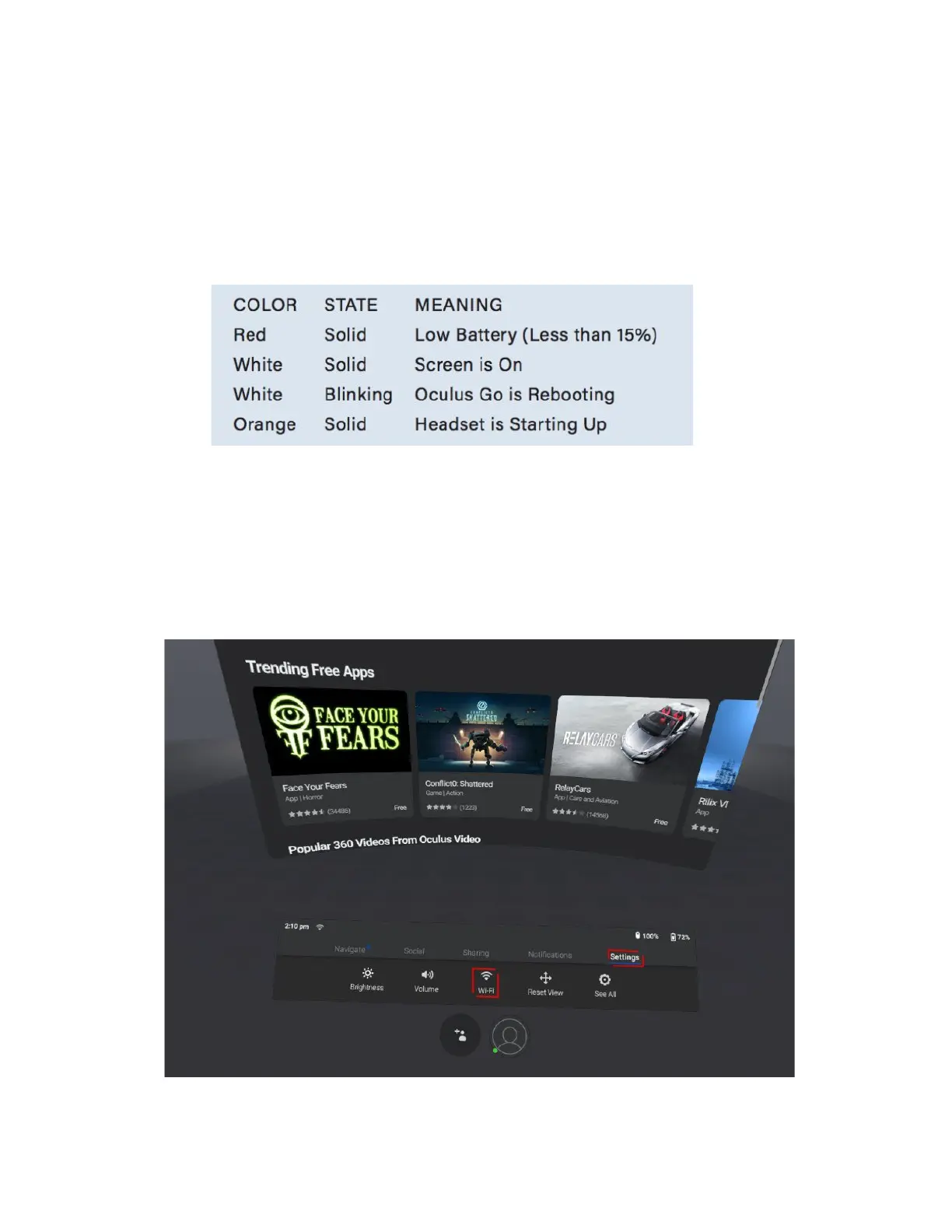
4.1 Light indicator meanings (while in operation
)
5. Connecting to Wi-Fi
Wi-Fi connection is required to operate the headset, navigate to Settings then Wi-Fi
to choose a network:
4


 To Next Page