7
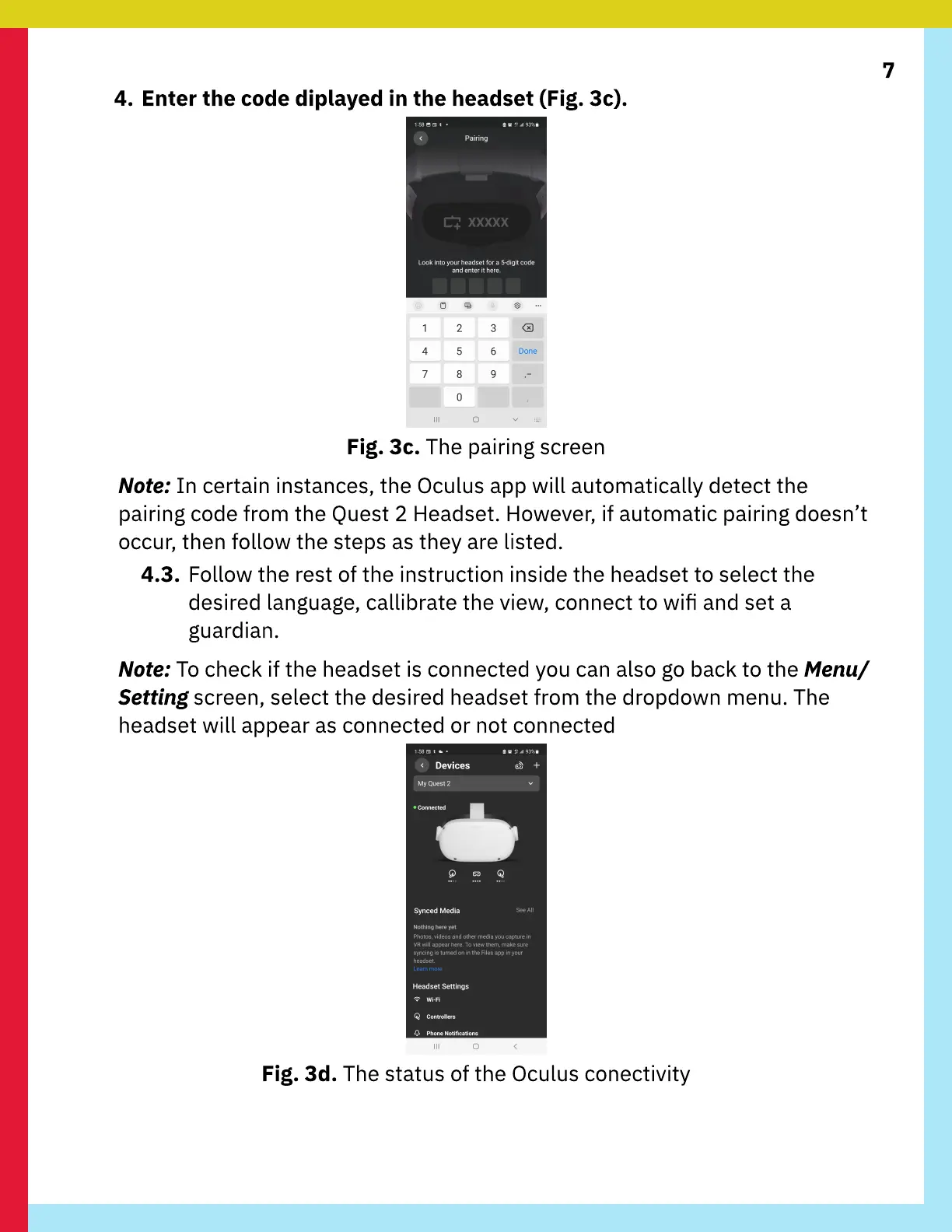
4. Enter the code diplayed in the headset (Fig. 3c).
Fig. 3c. The pairing screen
Note: In certain instances, the Oculus app will automatically detect the
pairing code from the Quest 2 Headset. However, if automatic pairing doesn’t
occur, then follow the steps as they are listed.
4.3. Follow the rest of the instruction inside the headset to select the
desired language, callibrate the view, connect to wi and set a
guardian.
Note: To check if the headset is connected you can also go back to the Menu/
Setting screen, select the desired headset from the dropdown menu. The
headset will appear as connected or not connected
Fig. 3d. The status of the Oculus conectivity



 To Next Page