OWNER'S GUIDE
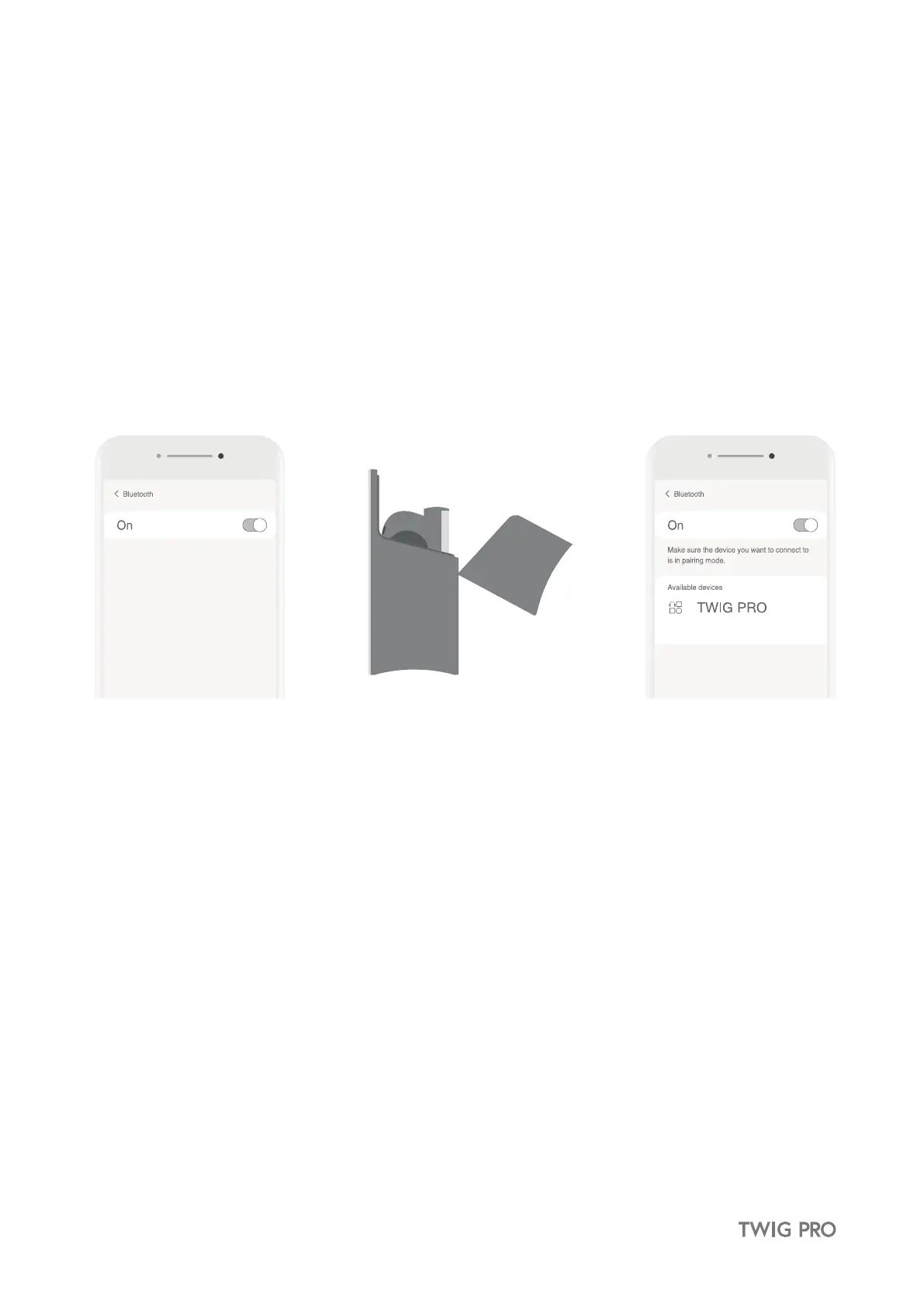
3. First time pairing with Bluetooth device
★ Remove the film on the earbuds and charge for at least 10 minutes.
① Turn on the Bluetooth in your device.
② Open the case lid and pairing mode will be automatically activated.
③ Select TWIG PRO within the Bluetooth setting of your device.
④ When the earbuds connect to your device via Bluetooth, you will hear a high-pitched tone (marimba).
Once you place the earbuds in your ears, you will hear a low-pitched tone (synth), indicating your device and
earbuds are connected and ready to use. (The earbuds must be worn to activate the sensor features.)
※ Once the pairing is complete, TWIG PRO will pair with the last device it was connected to.
※ Repeat this procedure every time you pair TWIG PRO with a new device.


 To Next Page