OWNER'S GUIDE
30 sec.
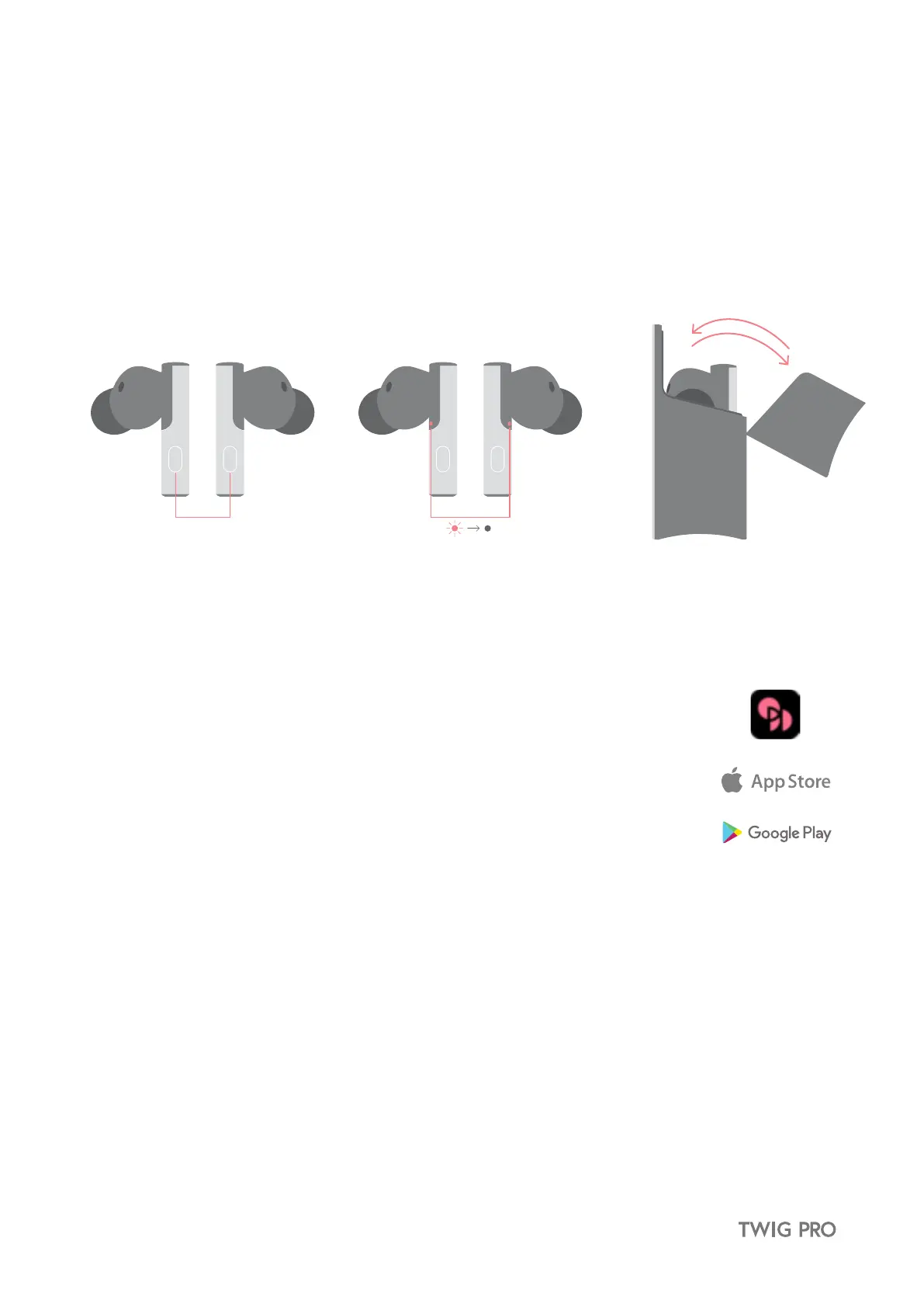
12. Factory Reset
Many issues can be resolved by factory resetting your TWIG PRO.
① Press and hold the button on each earbud for 30 seconds.
② A notification tone is emitted from each earbud and a red LED turns on in the middle of the earbuds.
③ Once each earbud lights up red, place them together and the red LED will turn off indicating they’ve been paired
with one another.
④ Place the earbuds back in the case. Close and open cover again. TWIG PRO will automatically enter pairing mode.
※ All existing connection histories are reset.
13. ODDICT APP
The dedicated ODDICT APP allows you to customize your TWIG PRO by providing control over
various functions such as saving presets, equalizer adjustments, device name and earbud tracking.
13.1 Download the ODDICT APP
① Search for ODDICT in the Google Play or Apple App Store and download/run the app.
② Create an account and log in.


 To Next Page