OWNER'S GUIDE
10. Ambient Mode
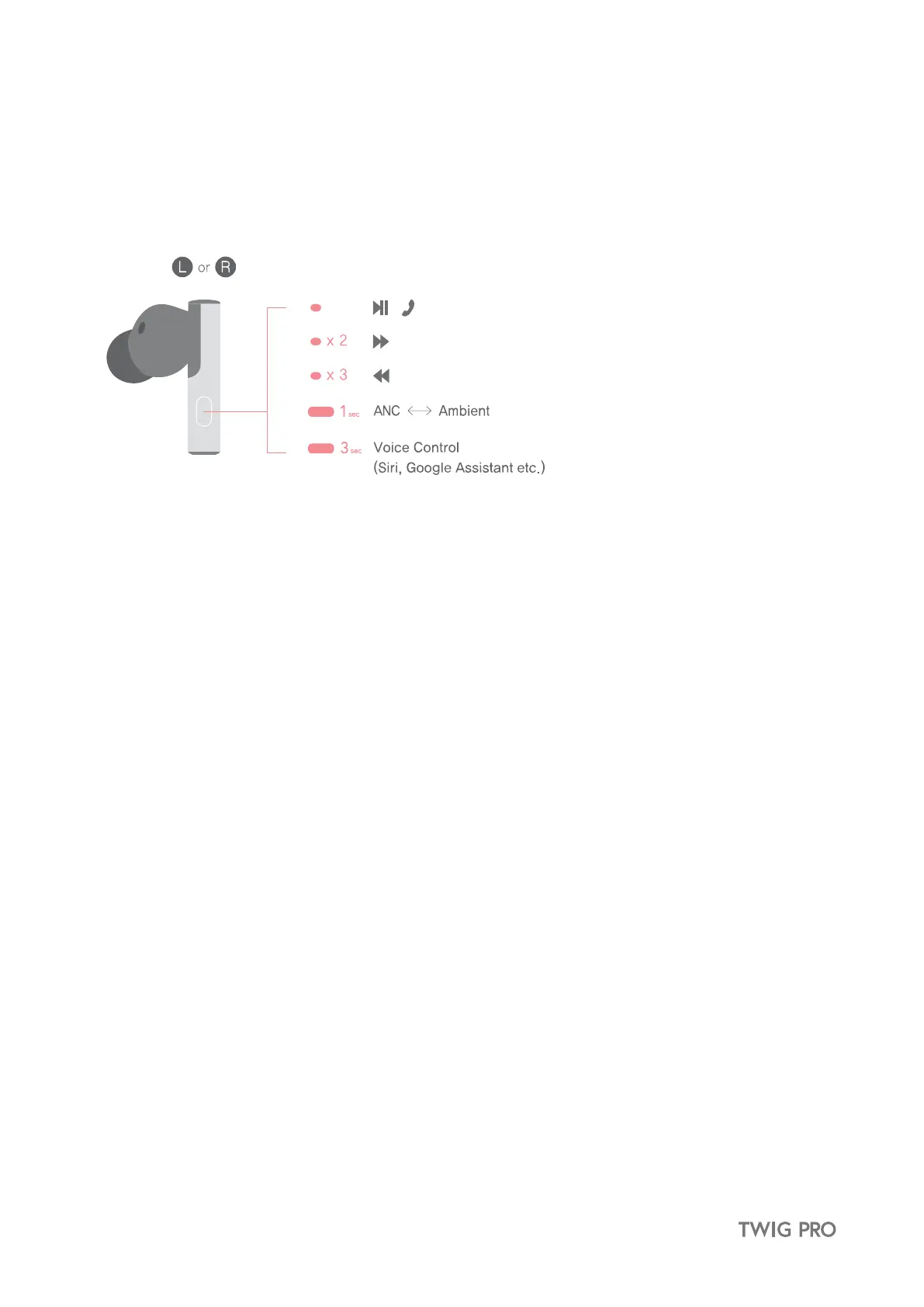
① Ambient Mode allows you to hear the sounds around you without having to remove the earbuds.
② Press and hold the earbuds button for 1 second to activate ambient mode.
11. Activate Voice Assistant
Activate the voice command function of the connected Bluetooth device by pressing button on the TWIG Earbuds.
Activate voice assistant (Siri, Google Assistant etc.)
Press and hold the button on the earbuds button for 3 seconds. When you hear a beep, voice assistant will activate.
※ Functions may vary depending on the paired Bluetooth device.


 To Next Page