OWNER'S GUIDE
5. Power ON/OFF and Standby mode
TWIG earbuds are turned on/off automatically depending on whether the case is connected without any separate operation.
(Power ON when the case is opened / Power OFF when the earbuds are in the case and the case is closed)
1) Turning on the earbuds
① When the case is opened, the earbuds will turn on automatically.
② If there is no previously paired device nearby, it will automatically enter ‘pairing mode’ 5 seconds after
opening the case cover.
③ If a previously paired device is nearby, the earbuds will be connected immediately when taken out of the
charging case.
※ When in pairing mode, the earbuds will turn off after 5 minutes if the Bluetooth has not been connected to.
2) Turning off the earbuds
Insert the earbuds into the case and close it to turn off the earbuds.
※ You can turn on/off the earbuds only when there is remaining battery power in the case.
6. Connecting/Pairing with other Bluetooth devices
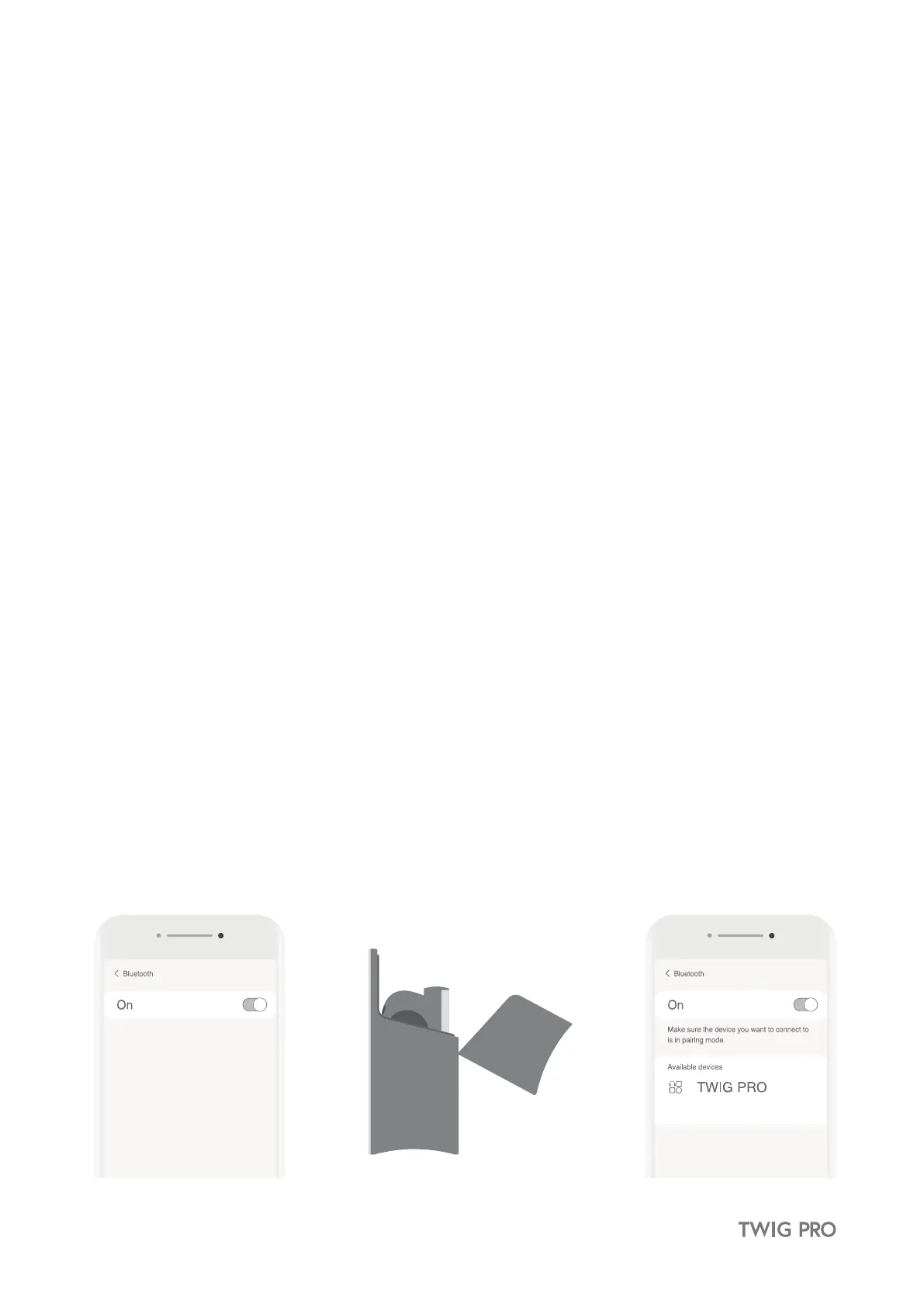
① Place the earbuds back in the case. Close and open case lid. TWIG PRO will enter pairing mode after 5 seconds.
② Search for the device in the Bluetooth settings of the device you want to connect and select TWIG PRO.
4.3 Checking the remaining battery level
1) Check battery level of the earbuds
Battery level can be checked via the ODDICT App.
2) Check the battery level of the case
If you press the button on the bottom of the case, you can check the remaining battery levels with
the LED status lights.


 To Next Page