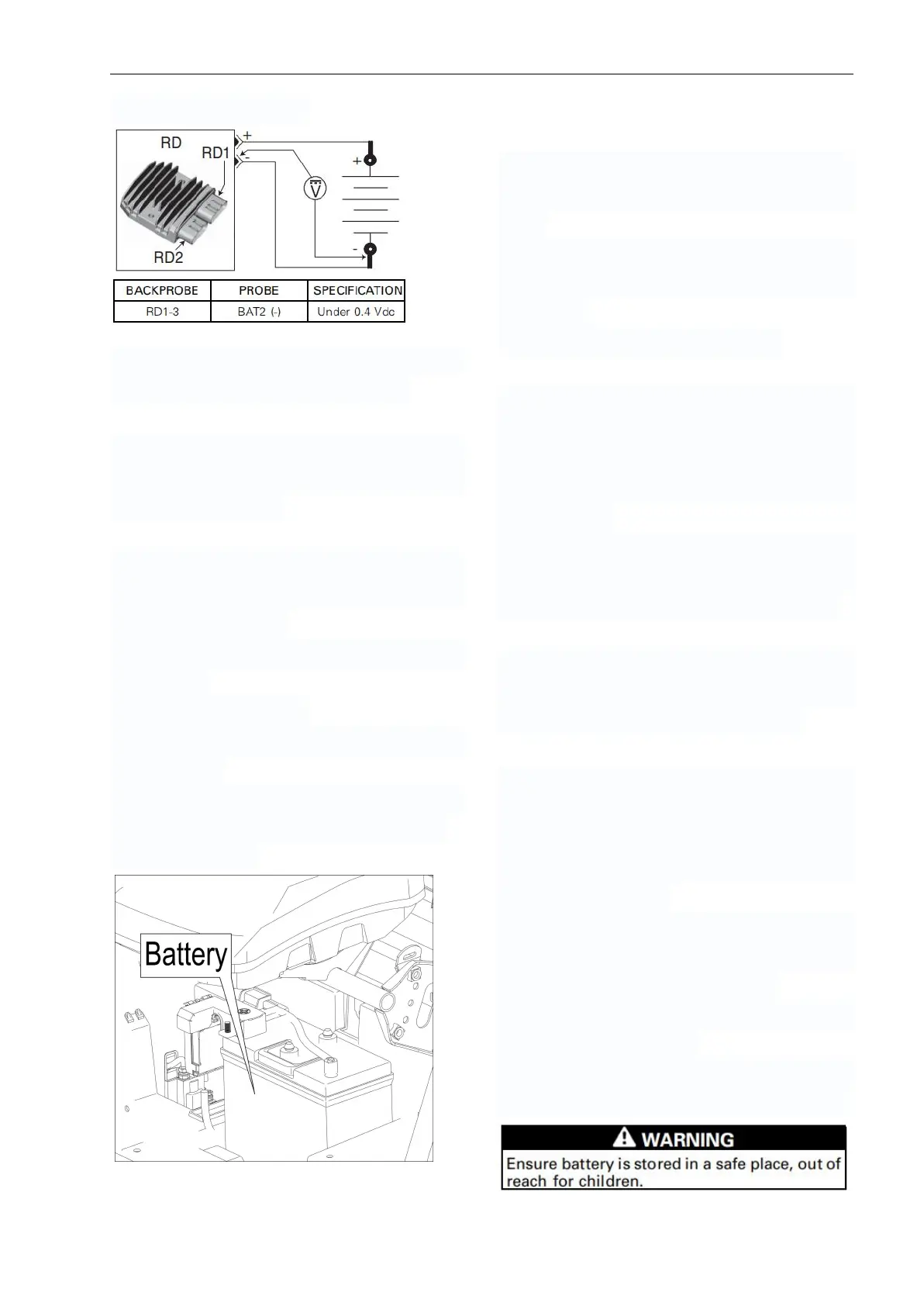
4.Measure voltage drop.
If voltage drop is above specification, locate
and repair damaged connector/wire.
BATTERY
Refer to battery manufacturer's instructions
for proper filling, activation and routine
charging procedures.
Battery Access
The battery is located underneath the
driver's seat.
Removing the Battery
1. Remove under seat storage compartment
if equipped.
2. Remove battery cover
3. Disconnect BLACK (-) cable first, then the
RED (+) cable.
NOTICE: Always respect this order for
removal; disconnect BLACK (-) cable first.
4.Remove battery.
Cleaning the Battery
Clean the battery rack, cables and battery
posts using a solution of baking soda and
water.
Remove corrosion (if so) from battery cable
terminals and battery posts using a firm
wire brush.
Rinse with clear water and dry well.
Inspecting the Battery
Visually inspect battery casing for cracks or
any other damages. If casing is damaged,
replace battery and thoroughly clean
battery support with a water and baking
soda solution.
Inspect condition of battery posts, battery
support, holding strap and strap
attachment points and wire terminal lugs.
Battery Storage
It is not necessary to remove the battery
during vehicle storage but it is
recommended for long term storage.
If the battery is left in the vehicle during
storage or used infrequently, disconnect
the BLACK (-) negative battery cable to
eliminate battery current drain from the
electrical equipment.
Recharge the battery once a month with an
approved battery charger as per
manufacturer's recommendations.
Clean battery, battery support and
connections as required.
For other recommendations during storage,
refer to battery manufacturers instructions.



 To Next Page