13/27
EN
z Power supply adapter
z AV cable
z Remote control (with battery)
z User manual
z Bracket
z Warranty card
F
F
i
i
r
r
s
s
t
t
s
s
t
t
e
e
p
p
s
s
S
S
t
t
a
a
n
n
d
d
i
i
n
n
g
g
u
u
p
p
t
t
h
h
e
e
P
P
h
h
o
o
t
t
o
o
F
F
r
r
a
a
m
m
e
e
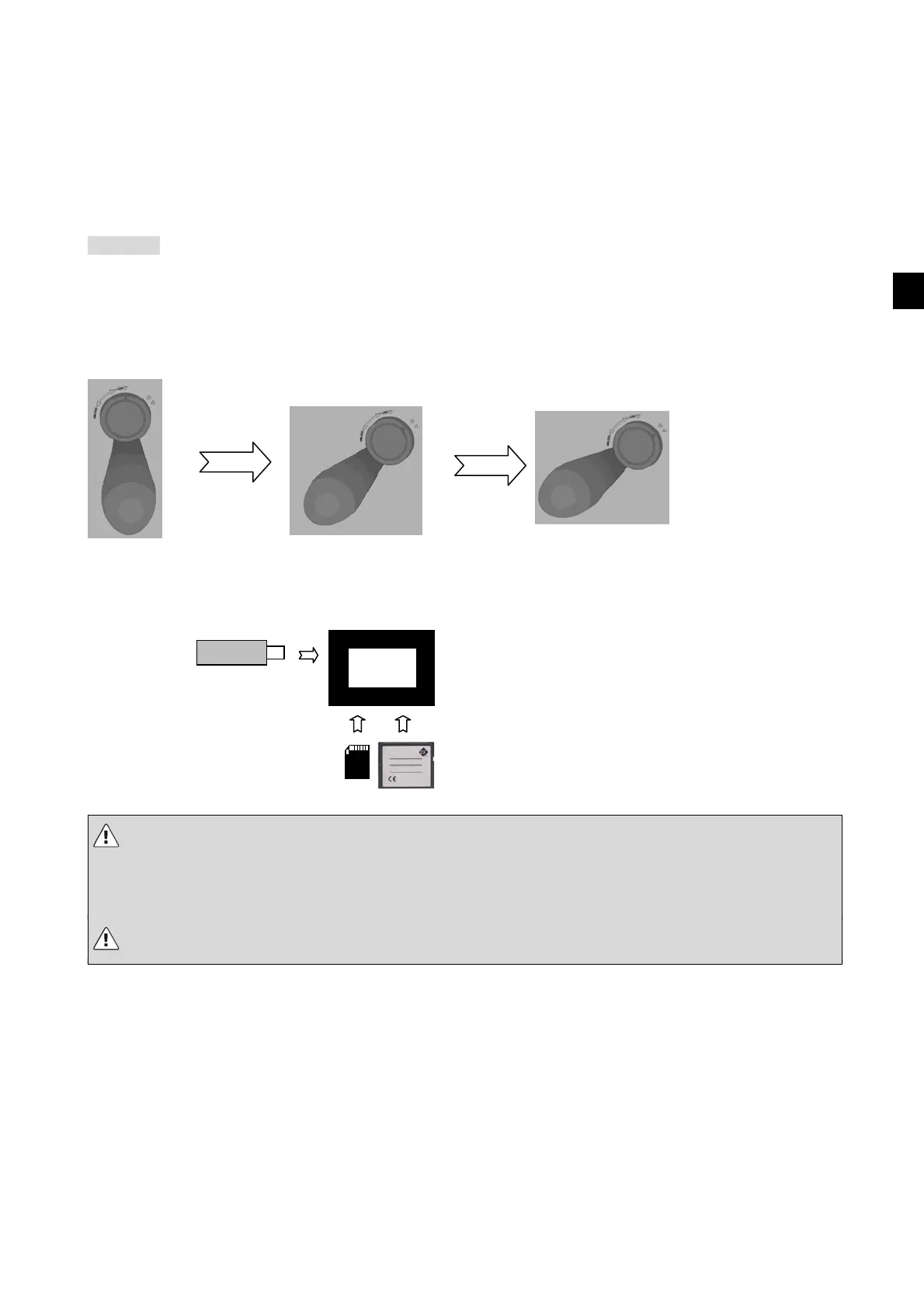
Insert the stand in the opening provided for it as shown.
Now turn the stand clockwise to “Lock” until one of the two stop positions (your choice) has been reached and
you hear the stand click into place. To remove the stand, turn it in the opposite direction (towards “Unlock”).
C
C
o
o
n
n
n
n
e
e
c
c
t
t
i
i
n
n
g
g
s
s
t
t
o
o
r
r
a
a
g
g
e
e
m
m
e
e
d
d
i
i
a
a
Insert a memory card containing supported media files into the card slot of the Photo Frame or use USB
memory. Supported card formats: SD/MMC, MS, xD, CF
• Do not change the storage medium while the Picture Frame is switched on. Switch off the device first.
• Insert the card in the correct direction. (Front side facing back) Do not apply strong force when
inserting the card, as this can damage the card or the components of the Digital Photo Frame. Recheck the
direction of insertion, if necessary.
• Do not insert or remove the memory card while the device is reading data.
Note that it may take some time for data to be read, depending on the size of the storage medium that is
connected and the number of files on the medium.
Connecting the power supply
Insert one end of the power adapter into the AC power socket and the other end into the DC socket at the back
of the Photo Frame.
Switching on
The Photo Frame switches on automatically when it is connected to the power supply.
Switching off
If you pull out the power supply adapter or use the switch on the back of the device, the Photo Frame will
switch off.
USB stick or disk
SD/MMC/MS/xD CF



 To Next Page
 Loading...