EN
F
F
u
u
n
n
c
c
t
t
i
i
o
o
n
n
s
s
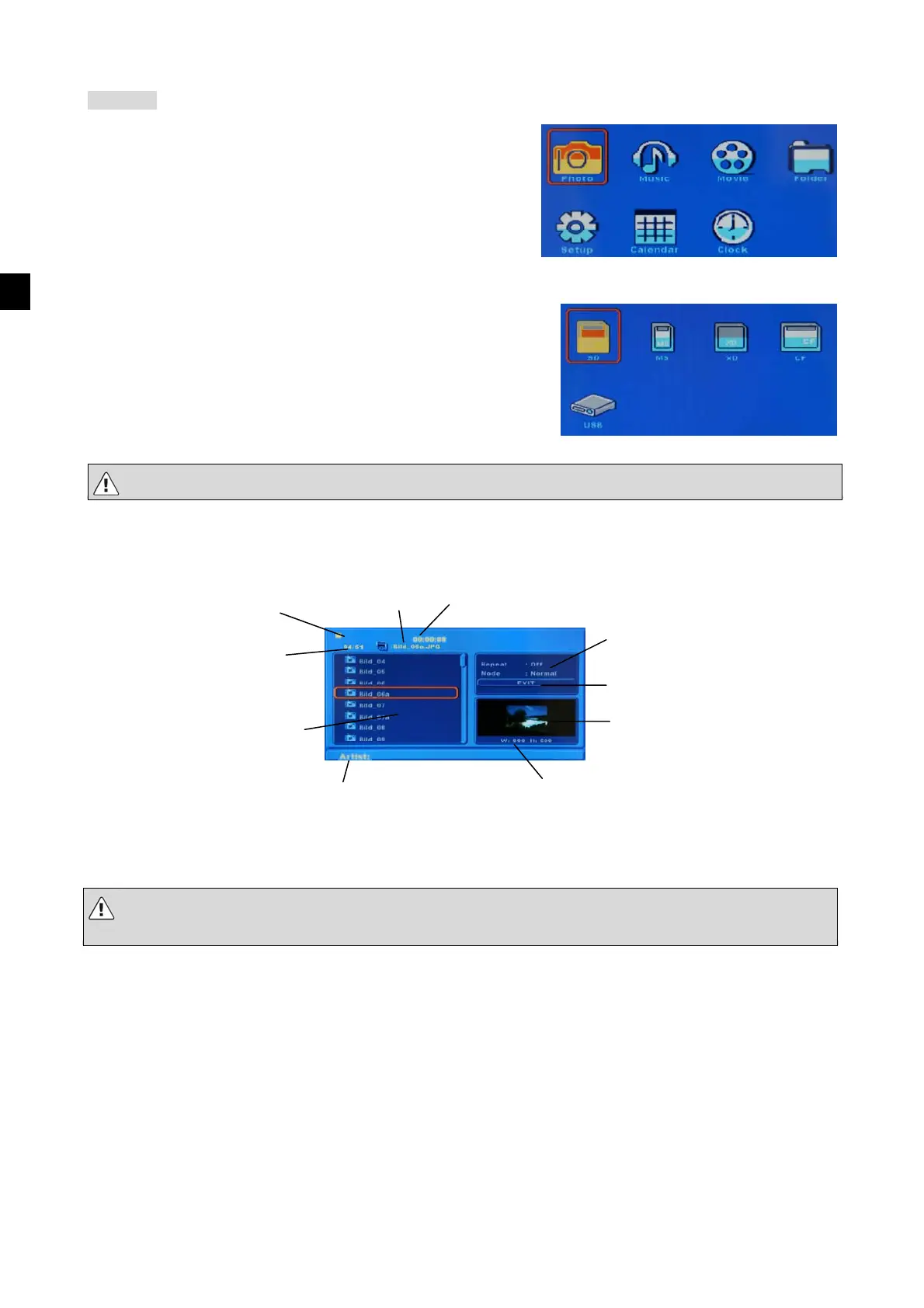
After the device is switched on, it will display the main menu by
default.
You can now use the arrow buttons and the enter key to select
the option you require.
You can select from the following options: Photo, Music, Movie, Folder, Setup, Calendar and Clock.
After you have selected one of the four menu items above, you can
select where you want to save the files you require.
Existing storage media are displayed against a yellow background as
shown above. The option that is currently selected is highlighted in
orange.
It may take a moment before you can select the card. If you are not sure, press “Enter” again.
In the Photo and Music modes, files will play back automatically after you have made a selection.
Once the photo show has begun, you can display the list of files in Photo mode by pressing the Stop button.
Use the buttons to select files.
The buttons take you to the area on the right-hand side of the window:
Note that it may take some time for your photos to load, depending on the size of the files - even if you are
just previewing them.
List of files and
folders
Current file /
Total number
File name
Playback settings
Image preview
Photo mode
Image info
(Photo mode only)
Exit the mode
ID3 display
(Music mode only)
Duration
(Music mode only)
Playback status



 To Next Page
 Loading...