Calibration
16. Select the File pull down menu, select Save, To System, and Both. The message
YOU MUST REBOOT THE SYSTEM IN
ORDER FOR THE SAVED DATA TO BE APPLIED TO THE SYSTEM
will be displayed.
17. Click on Ok. Turn the 9800 system off, wait for about 10 seconds then turn the system back on.
Camera Calibration
Camera Cooler Verification
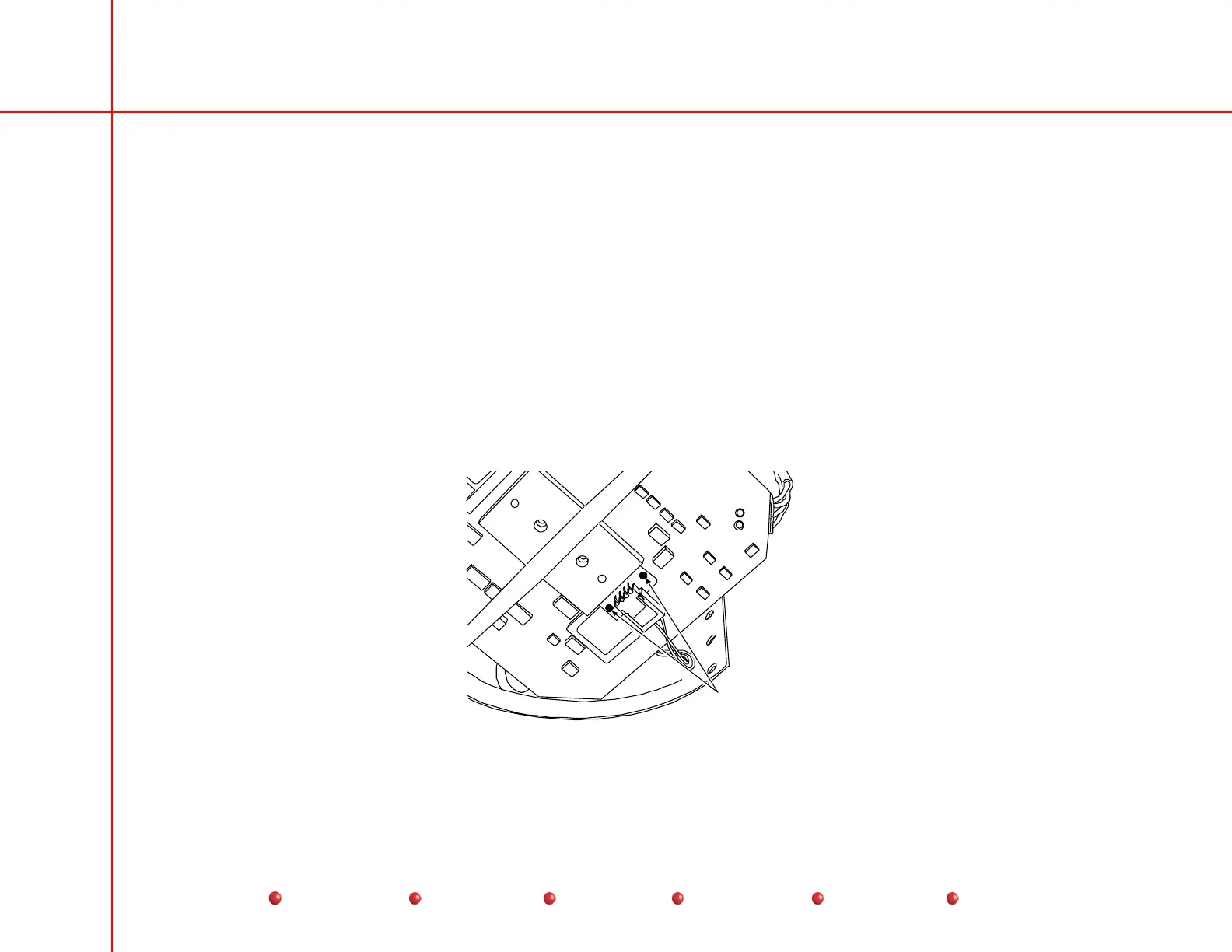
1. Attach a DMM to the two solder pads on the TEC board on the camera (see following diagram).
2. Measure the voltage between the solder pads on the TEC circuit board. The voltage should change from 0 to 3-5 volts DC
approximately every 20 seconds while the system is running.
Measure the TEC
circuit voltage here
on the camera.
Camera Cooler Test Points
64
Service
Periodic Maintenance
Contents
Schematics
Illustrated Parts
Installation



 To Next Page