DC Power Distribution
Fault Isolation
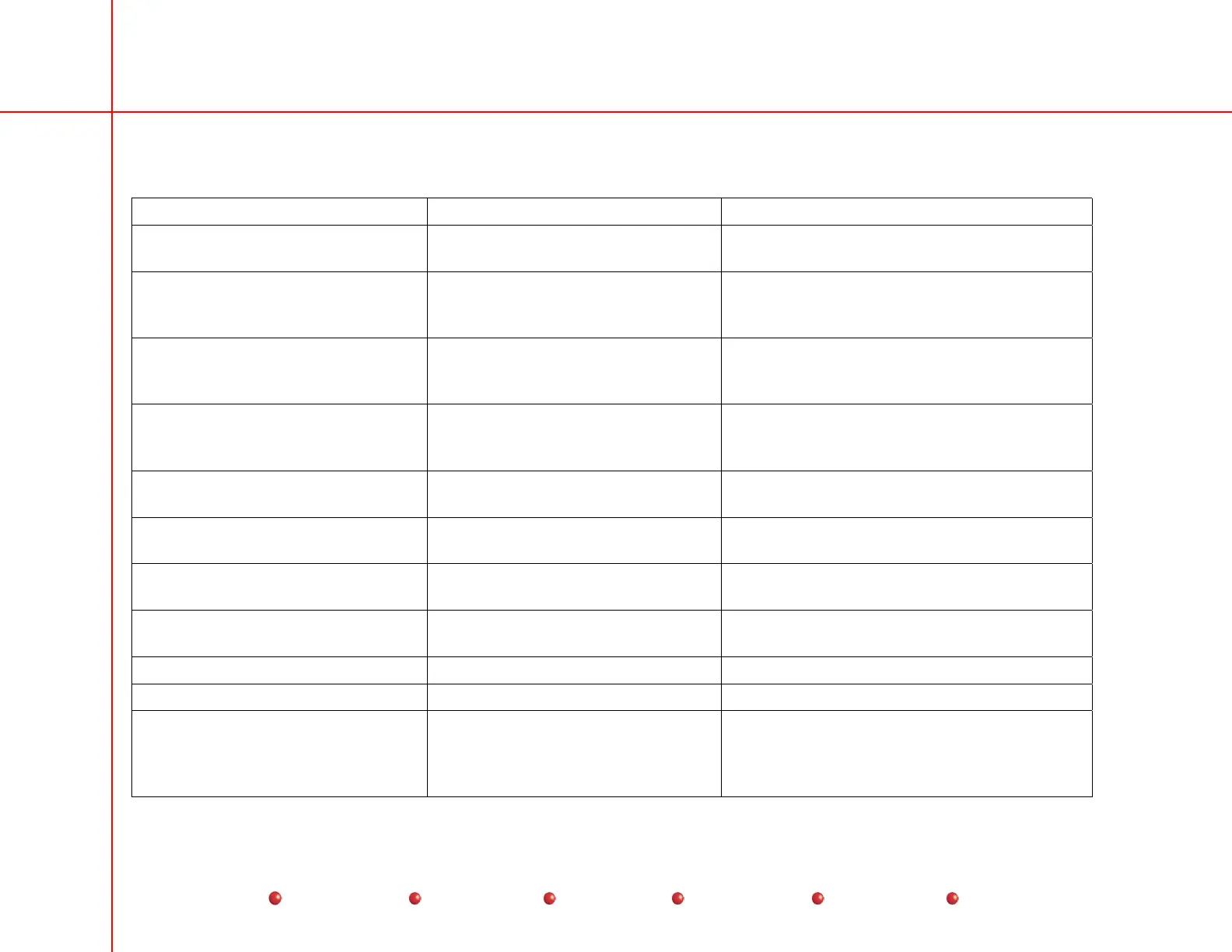
Failure Possible Cause Remedy
Hand Switch indicator lights off;
VFDs OK; bootup OK
Blown fuse F7 on Power/Motor
Relay PCB
Replace fuse.
Loose connectors Check Connectors P8 and P9 on Power/Motor
Relay PCB. Also check Hand Switch
connector J3/P3.
VFDs inoperative. Handswitch
Indicator lights OK; bootup
otherwise OK
Blown fuse F12 on Power/Signal
Interface PCB.
Replace fuse.
Loose connectors Check Connectors P6 on Power/Signal
Interface PCB, and P3 on Control Panel
Processor I/O PCB.
VFDs, Handswitch indicator lights
OK, no bootup
Blown fuse F9 on Power/Signal
Interface PCB
Replace fuse.
Loose connectors Check Connector P11 on Power/Signal
Interface PCB.
Check Connectors P5 on Backplane, and P2
on Generator Driver PCB.
Interlock system down, preventing
X-rays and resetting the system
Blown fuse F11 on Power/Signal
Interface PCB.
Replace fuse
Check test points and indicator lights.
+24VDC section of PS2 failed Replace PS2
No video, no pilot tone (“LIVE”
message does not appear in lower
right-hand corner of Workstation left-
hand monitor).
Blown fuses F13 or F14 Replace fuses
12
Service
Periodic Maintenance
Contents
Schematics
Illustrated Parts
Installation



 To Next Page