EN-14
USB Operations
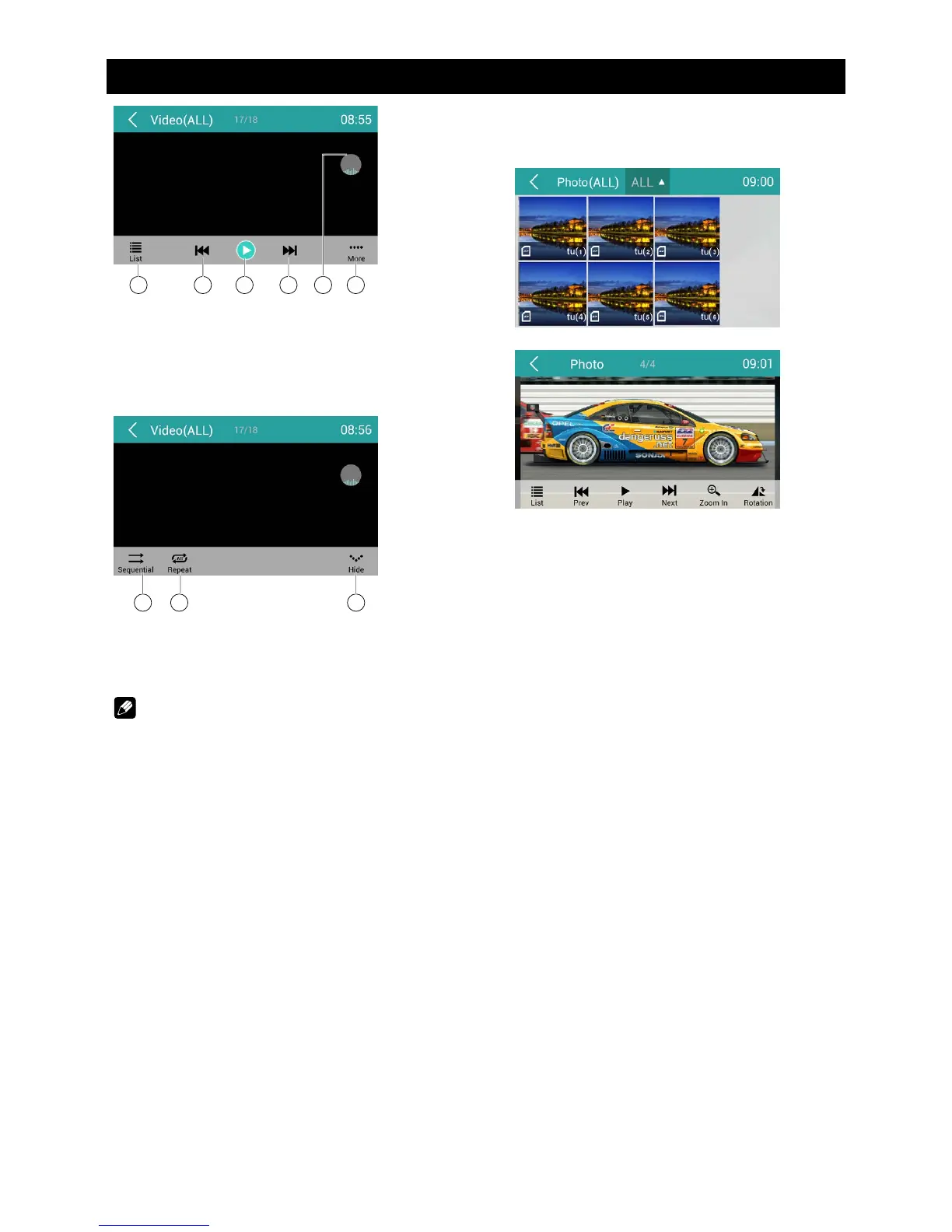
5 6 7 8 109
5. Show list menu
6. Previous chapter
7. Play/Pause
8. Next chapter
9. Enter preset EQ menu
10. Show more control buttons
11 12 13
11. Sequential play
12. Repeat play
13. Show previous page of control buttons
Notes
• DisconnectUSBstoragedevicesfromthe
unitwhennotinuse.
• Donotuseunauthorizedproducts.
Gallery Operations
1. Select [Photo] on the APPS menu.
2. Select one gallery to show the picture list.
3. Touch to view it.
Drag left/right to scroll.
Touch top left corner to back.


 To Next Page