EN-3
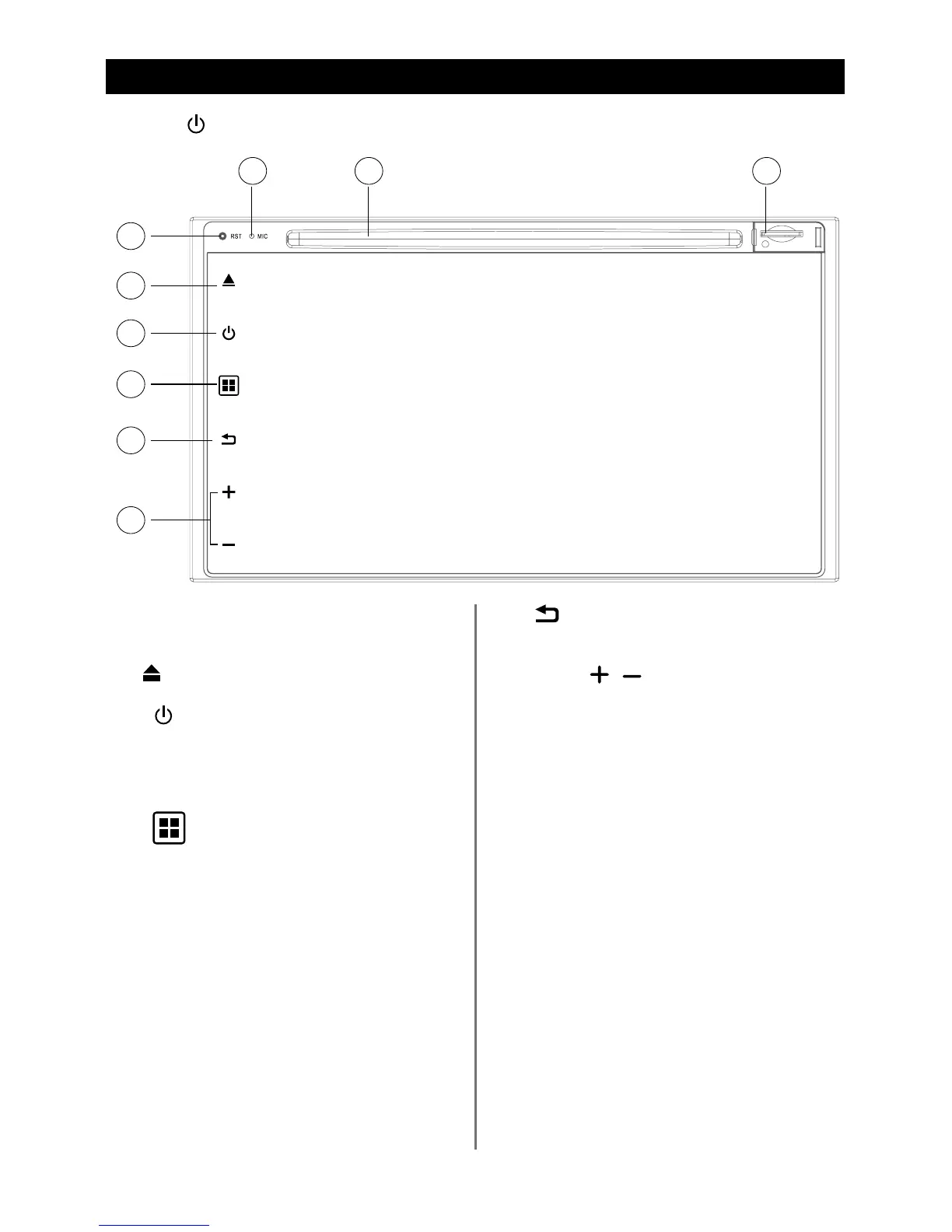
Control Panel
Press [ ] button to turn on the unit.
1. Reset
Load factory settings
2.
Eject disc (when disc inserted)
3.
[ ]
Button
> Power “ON” (press)
> Power “OFF” (long press)
> Mute the Volume (press)
4.
[
]
Button
Show main menu (press)
Show main options(long press)
5.
[
]
Button
Press to go back one step on any screen.
6. Volume
/
Increase
/
Decrease the volume
7. Bluetooth MIC
8. Disc Slot
Insert the disc with label side facing up.
9. Map Card Slot
2
3
4
5
6
1


 To Next Page