OFITE, 11302 Steeplecrest Dr., Houston, TX 77065 USA / Tel: 832-320-7300 / Fax: 713-880-9886 / www.ote.com 5
Operation
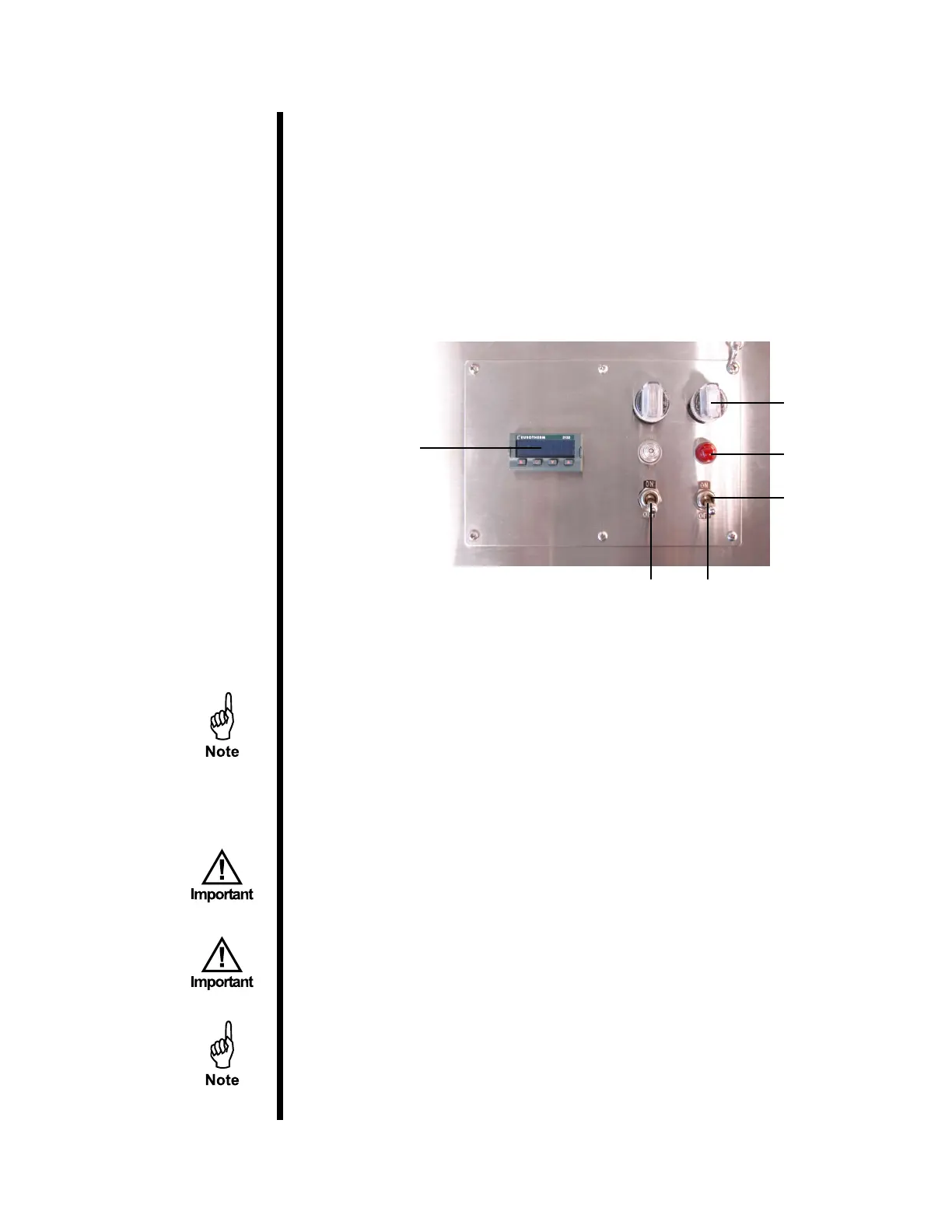
1. To turn on the rollers, ip the “Roller” power switch to the “On” position.
The white indicator light will come on and the rollers will start turning.
2. To turn on the heaters, ip the “Heat” power switch to the “On” position.
The heaters and the red indicator light will come on.
The indicator light will pulsate on and o as the temperature controller
maintains the desired heat.
Temperature
Controller
Fuse
Indicator Light
Power
HeatRoller
3. To adjust the temperature, push the up and down arrows on the
temperature controller.
The temperature will rise at approximately 150°F (65.5°C) per hour.
4. The oven can be preheated while the samples are being tested and
prepared. It is recommended that the samples be placed in the OFITE
Aging Cells for the oven tests. However, the cells for the HTHP Filter
Press (and various other containers) are often used.
Please refer to the Aging Cell documentation to determine the
appropriate uid volume for your test conditions.
If the aging cells are going to be rolled during a test, install o-rings
on the outer perimeter on the top and bottom of the cells. Failure to
do so can damage the rollers in the oven. Teon (#175-46) and Buna
N (#175-54) o-rings are available. For tests above 300°F (148.9°C),
use Teon only.
If for some reason the temperature controller fails, the safety thermostat
will cut power to the heater at 500°F (260°C).


 To Next Page