OFITE, 11302 Steeplecrest Dr., Houston, TX 77065 USA / Tel: 832-320-7300 / Fax: 713-880-9886 / www.ote.com
9
Operation
Preparation
1. Before starting a test, close all valves and ensure that all regulators are
rotated fully counterclockwise.
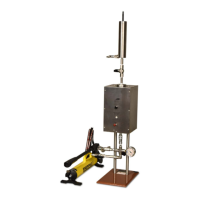
2. Connect the heating well to a 110V or 220V AC power source as specied
on the nameplate. The heating jacket requires an 800W power supply.
3. Turn the thermostat to about mid-scale to begin heating and place a metal
dial thermometer in the thermometer well.
The pilot light will turn on when the heating well is at the temperature
setpoint. The temperature should read 10°F (6°C) above the desired test
temperature. If it is not, adjust the thermostat.
4. Before using the ceramic disk, soak it for at least 10 minutes in base uid.
Use water for freshwater-based uids, brine for saltwater-based uids,
diesel for oil-based uids, and a synthetic base for synthetic-based uids.
Never reuse a disk except for return permeability studies. Below is a list
of ceramic disks available:
#170-55 Ceramic Filter Disk, 775 milli-darcy, 10 micron, 2½" × ¼"
#170-53-2 Ceramic Filter Disk, 850 milli-darcy, 12 micron, 2½" × ¼"
#170-53-3 Ceramic Filter Disk, 3 darcy, 20 micron, 2½" × ¼"
#170-51 Ceramic Filter Disk, 8 darcy, 40 micron, 2½" × ¼"
#170-53 Ceramic Filter Disk, 15 darcy, 50 micron, 2½" × ¼"
#170-53-1 Ceramic Filter Disk, 20 darcy, 55 micron, 2½" × ¼"
#170-53-4 Ceramic Filter Disk, 40 darcy, 120 micron, 2½" × ¼"



 To Next Page