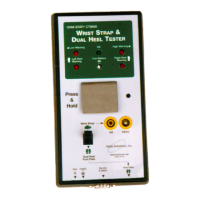
Static Solutions CT-8900 Combo Tester Instructions 7/22/2009
55
Any line beginning with a semicolon will be ignored as a comment.
Possible entries for Days:
MoTuWeThFrSaSu (one or more of)
La (Last day of month)
Fi (First day of month)
Possible entries for Time:
01:23 (hour in 24 hr format : minute)
Possible entries for report:
LogSort (Lo) Combines the log.txt files from the test stations and sorts them
Exception (Ex) Report of employees who have not passed the test
2Exception (2E) Report of employees who have not tested before and after a break
Certification (Ce) Report of the status of the employee training certifications
Daily (Da) Report of the daily test log
Monthly (Mo) Report of tests summarized by month
GetNames (Ge) Combines the name.txt files from the test stations
SendNames (Se) Sends the server names.txt file to the test stations
BackupNames (Ba) Backs up the names.txt file through 7 rotations
M1Task (M1) Executes a custom batch program named M1.bat
M2Task (M2) Executes a custom batch program named M2.bat
M3Task (M3) Executes a custom batch program named M3.bat
M4Task (M4) Executes a custom batch program named M4.bat
M5Task (M5) Executes a custom batch program named M5.bat
Training (Tr) Imports the training course statuss to the names.txt file
Update (Up) Updates and deletes employee info from the names.txt file
Vacation (Va) Report of employees sick and vacation schedules
DownloadLog (Do) Imports the remote data base measurements to the log.txt file
NdownloadNames (Nd) Imports the remote data base names info to the names.txt file
Occupancy (Oc) Report of the employees who have not signed out
LogSort will read all the test stations (that are listed in the netlist.txt file) log.txt files and combine and sort them into one log.txt file on
the server.
Exception will generate an exception report of workers who failed the test or did not test. The exception report will list employees that
have not yet tested on that day (i.e since 00:00 AM of the day the report was run). To prevent second shift employees (who test at
4PM) from showing up on the 7AM exception report, assign them different workgroups (like SH1 and SH2) and run the 7AM
exception report for the SH1 workgroup only, and run the 4PM exception report for the SH2 workgroup only.
2Exception will generate an exception report of workers who did not test twice within the last 12 hours. Tests must be separated by
3 hours or more.
Certification will generate a report of workers who’s certification period has expired.
Daily will generate a report of test values for the day. If the “exit” feature is used, this will list both the test time and the exit time on
the same line.
Monthly will generate the monthly summary report.
GetNames will read all the test stations’ names.txt files and combine any newly added names into the server’s names.txt file, and call
BackupNames.
SendNames will send the names.txt file to the test stations listed in the netlist.txt file.
M1Task will launch (and execute what ever is in) your custom M1Task.bat file (such as copying report files from one computer to
another), but will not wait for M1Task.bat to finish.
M2Task – M5Task will likewise execute M2Task.bat – M5Task.bat.
BackupNames will backup the names.txt data file through seven rotations, so call this once per day for a complete weekly backup. It
will backup the names data file names.txt. It should be called once each day, It will: delete NamesBakRot7.txt, rename
NamesBakRot6.txt to NamesBakRot7.txt, rename NamesBakRot5.txt to NamesBakRot6.txt, …. rename NamesBakRot1.txt to


 To Next Page