Static Solutions CT-8900 Combo Tester Instructions 7/22/2009
59
TOOLS
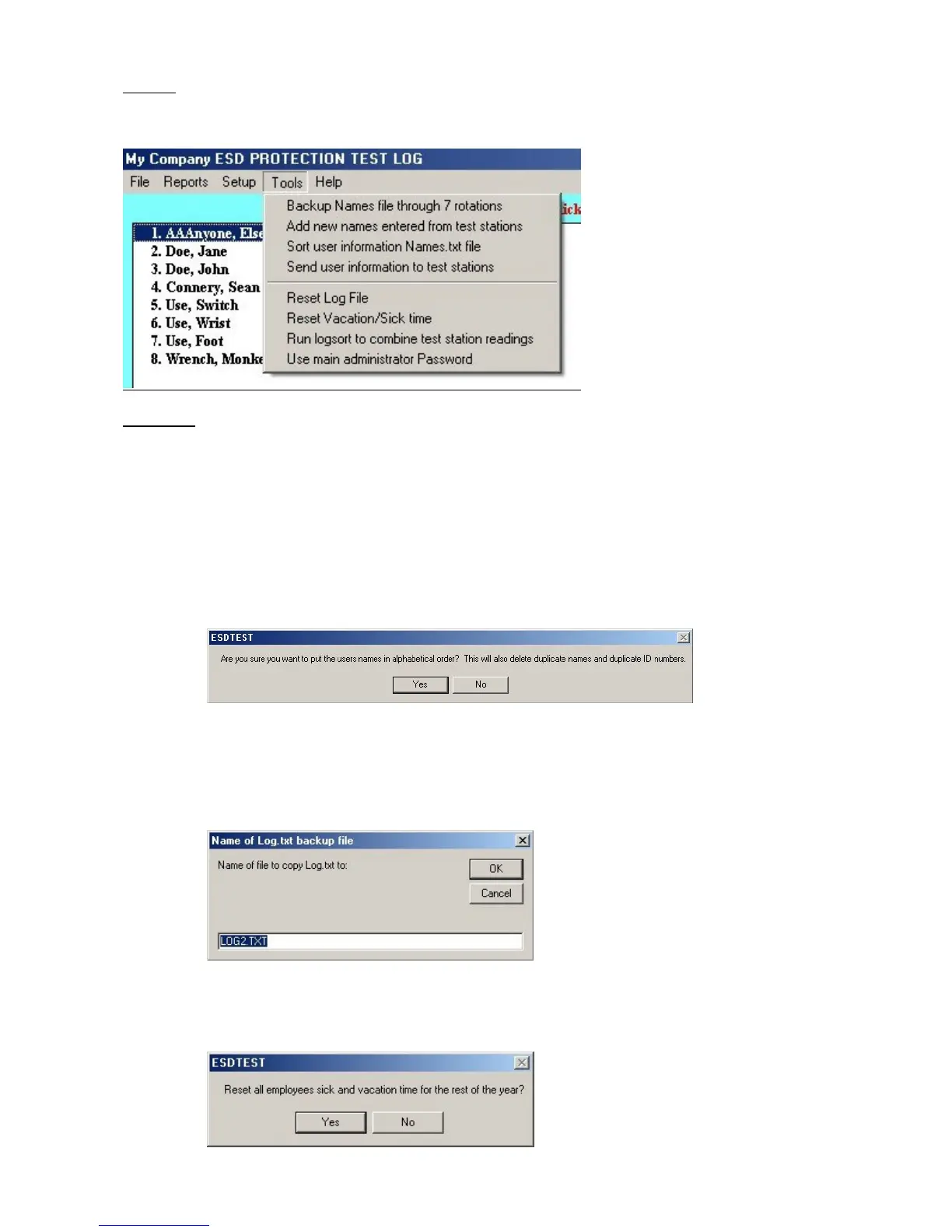
From the main window select tools
Tools menu
1. Backup Names file through seven rotations will backup the names data file names.txt. It should be called once each
day, or set up to automatically called from the Autogenerate email task scheduler. It will: delete NamesBakRot7.txt,
rename NamesBakRot6.txt to NamesBakRot7.txt, rename NamesBakRot5.txt to NamesBakRot6.txt, …. rename
NamesBakRot1.txt to NamesBakRot2.txt, and copy Names.txt to NamesBakRot1.txt. Thus you will have seven days
to recover a names.txt file before it gets deleted. Add new names entered from test stations will read the netlist.txt file
to find the test station paths, and read the test station names.txt file and add those names to the server names.txt file
(can only be called from the server).
2. Sort user information will sort the employee names in the names.txt file, and check for duplicates.
3. Send user information to test stations will copy the names.txt file back out to the test stations listed in the netlist.txt file
4. To reset the main log file (log.txt), or copy it to a backup file, select the Reset Log File item in the Tools menu. This
will prompt for a backup file name to copy the file to before it resets (deletes) the log file. The log.txt file must be reset
annually every January 1st, otherwise the report generation will use the previous years data stored in the file.
5. To reset the sick/vacation attendance data, select the Reset vacation/sick time menu item in the tools menu. The
attendance data must be reset annually every January 1st, otherwise the report generation will use the previous years
data stored in the names.txt file.


 To Next Page