OPERATION
Fig.
5
Switching on/o
The product can only be switched on or into standby. Unplug in order to switch o.
Press the on/standby button
or ON/OFF button to switch the product on or into standby.
Notes:
• After a power break or when the product is switched into standby and on again in a short
time, the refrigerating compressor will resume work after 3 minutes (delay start). This is to
prevent the refrigerating circuit from damages.
• If the product is knocked over, switch into standby and unplug immediately. Wait at least 2
hours before operating the product again, to avoid damages on the refrigerating circuit.
• Always switch the product into standby before unplugging.
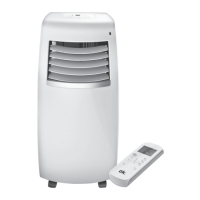
REMOTE CONTROL
Fig.
6
Remove the battery compartment cover. Insert 2 batteries (type LR03/ AAA) while paying
attention to the correct polarity. Close the battery compartment. Using the control panel
and the remote control alternately might lead to a misalignment of the product and the
information displayed on the remote control.
• Press any button on the remote control and the product adopts the current setting from
the remote control.
Notes:
• The signals of the remote control will be transmitted with a short delay after a button
is pressed. This process is indicated by the appearing symbol
on the remote control
display.
• The operating product is indicated by the symbol on the remote control display.
IM_OAC2221_161201_V04_HR.indb 23 1/12/16 4:31 PM


 To Next Page