EasyManua.ls Logo

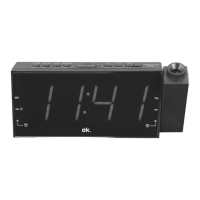
OK. OCR 160PR User Manual

OK. OCR 160PR
171 pages
Go to English
To Next Page IconTo Next Page
Page #1 background imageLoading...
Page #1 background image
OCR 160PR
Radiowecker mit Projektion // Clock radio with Projection //
Proyección de Radio reloj // Radio-reveil avec Projection
IM_OCR 160PR_170810_V04
www.ok-online.com
Imtron GmbH
Wankelstraße 5
85046 Ingolstadt
Germany
www.imtron.eu
DE
GEBRAUCHSANWEISUNG 3
NL
GEBRUIKSAANWIJZING 94
EN
USER MANUAL 16
PL
INSTRUKCJA OBSŁUGI 104
ES
MANUAL DEL USUARIO 29
PT
MANUAL DO UTILIZADOR 120
FR
MODE D’EMPLOI 42
RU
  133
GR
ΟΔΗΓΙΕΣ ΧΡΗΣΗΣ
55
SE
BRUKSANVISNING 146
HU
HASZNÁLATI ÚTMUTA 68
TR
KULLANIM KILAVUZU 159
IT
MANUALE UTENTE 81
HOUR
TU-
MIN
TU+
DIMMER
DST
AL1
VOL-
AL2 OFF
FM
PROJECTION
MODE
VOL+
TIME
PRO
ZZZ
HOUR
TU-
MIN
TU+
DIMMER
DST
AL1
VOL-
AL2 OFF
FM
PROJECTION
MODE
VOL+
TIME
PRO
ZZZ
4
HOUR
TU-
MIN
TU+
DIMMER
DST
AL1
VOL-
AL2 OFF
FM
PROJECTION
MODE
VOL+
TIME
PRO
ZZZ
FMDST
5
HOUR
TU-
MIN
TU+
DIMMER
DST
AL1
VOL-
AL2 OFF
FM
PROJECTION
MODE
VOL+
TIME
PRO
ZZZ
12:46
6
IM_OCR160PR_170810_V04_HR.indb 1 10/8/17 2:58 pm

Table of Contents

Question and Answer IconNeed help?

Do you have a question about the OK. OCR 160PR and is the answer not in the manual?

OK. OCR 160PR Specifications

General IconGeneral
BrandOK.
ModelOCR 160PR
CategoryClock Radio
Display TypeLED
Battery BackupYes
Power SourceAC Power
Radio BandFM

Summary

Intended Use

Components

Before First Time Use

Installation and Power Supply

Installation

Connect the power plug to the mains for optimal reception.

Back up battery

Insert batteries to enable clock operation during power failure.

General Settings

Time setting

Set the hours and minutes using dedicated buttons.

Alarm setting

ALARM 1

Set the first alarm time and select alarm functions.

ALARM 2

Set the second alarm time and select alarm functions.

Stop alarm

Snooze or cancel the alarm sound.

Operation

Display backlight setting

Adjust the display brightness to one of three levels.

Switching on and off

Turn the radio on and off using the FM/OFF button.

Volume control

Adjust the audio volume using the AL1/VOL- or AL2/VOL+ buttons.

Sleep function

Set a sleep timer for the radio to turn off automatically.

Radio

Tuning

Search for radio stations by frequency or fine-tune.

Memory preset

Preset up to 10 radio stations for quick selection.

Summer/Winter Time - DST

Projector Function

Cleaning and Care

Troubleshooting

Specification

Disposal

Related product manuals