31
EN
Messages
To navigate (up / down), press the navigation key up or down. To
select an option press the center of the navigation key.
1
Write message:
1. New SMS
Choose this menu to write a new SMS.
1) Send:
Select the recipient to send the message.
2) Insert template:
Insert phone SMS template (you can customize message
templates).
3) Add contact info:
Add a contact to recipient list.
4) Add phiz:
Insert phiz if needed here.
5) Save as draft:
Save edited SMS into draft box.
6) Exit:
Quit SMS edit interface.
2. New MMS
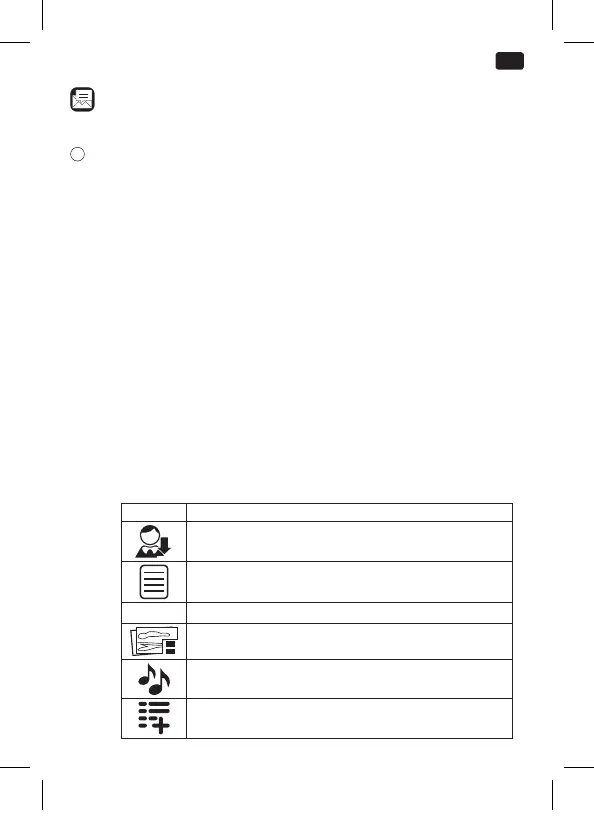
Follow the on screen instruction to write a new MMS. You
can attach a picture, audio or video le to the MMS.
Symbol Function
Enter receiver or select from contacts.
Insert subject line
TEXT Insert text message
Attach pictures
Attach audio les
Add pages
IM_OMP10_180530_V04_A_HR.indb 31 30/5/18 9:07 am


 To Next Page