EasyManua.ls Logo

Oki 5150 - User Manual

Oki 5150
2 pages
Print Icon
To Next Page IconTo Next Page
Loading...
Warning!
If the printer has recently been powered on, some
fuser components will be very hot. Handle the fuser
with extreme care, holding it only by its handle, which
will only be mildly warm to the touch.
A warning label clearly indicates the area. If in doubt,
switch the printer off and wait at least 10 minutes
for the fuser to cool before opening the printer cover.
1. Press the cover release and open the printer's top cover fully.
2. Note the positions of the four image drums: Cyan (1), Magenta (2), Yellow (3),
Black (4). It is essential that they go back in the correct order!
3. Lift each of the image drum units out of the printer and place them in a safe
place
4. Locate the two blue locks (1) and the handle (2).
5. Turn the two locks about 45 degrees counterclockwise to release the belt.
6. Pull up the handle and lift the belt unit out of the printer.
7. Unpack the new belt unit and hold it with the blue handle toward the front of
the printer.
8. Place the drive gear at the back of the belt unit in the gear at the left rear
corner of the printer, and lower the belt unit into the printer.
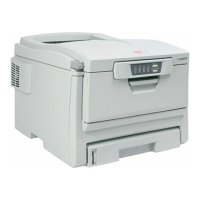
Belt Replacement for Oki 42158711
C3200/5150/C5200/C5400 Printers
Belt Instructions

Questions and Answers

  • S
    Steven TaylorAug 29, 2025
    Why does my Oki 5150 say 'INSTALL PAPER CASSETTE 430: TRAY 1 MISSING'?
    • S
      Sarah HortonAug 30, 2025
      If your Oki Printer displays 'INSTALL PAPER CASSETTE 430: TRAY 1 MISSING', it means Tray 1 is not installed. Install the missing tray to resolve the issue.
  • T
    Terry KimSep 6, 2025
    Why is my Oki Printer printing black, vertical lines?
    • D
      David DavisSep 6, 2025
      If your Oki Printer is producing black, vertical lines, the image drum may be damaged. Replace the image drum.
  • M
    Margaret ChapmanAug 28, 2025
    What does 'YYYY nnn: FATAL ERROR' mean on my Oki 5150?
    • N
      Natalie SimmonsAug 29, 2025
      If you see 'YYYY nnn: FATAL ERROR' on your Oki Printer, try turning it off and then back on. If the problem persists, write down the message, including the error number “nnn,” and any scrolling octets, then contact your authorized Oki Data Service Dealer.
  • G
    garrettyuSep 16, 2025
    How to select Oki 5150 Printer in the printer driver?
    • K
      Karen TaylorSep 16, 2025
      Select your Oki Printer or set it as the default printer in the printer driver.
  • J
    johnsonronaldSep 7, 2025
    What happens if the image drum of my Oki 5150 has been exposed to light?
    • D
      David JonesSep 7, 2025
      If the image drum of your Oki Printer has been exposed to light, remove it from the printer and store it in a dark place for several hours. If this doesn't work, replace the image drum.
  • B
    Brian PaulSep 12, 2025
    Should I use a USB hub with my Oki Printer?
    • G
      George DonovanSep 12, 2025
      If a USB hub is being used with your Oki Printer, connect the printer and computer directly.
  • R
    Robert PattersonSep 15, 2025
    Should I use a converter, buffer, extension cable or USB hub with Oki Printer?
    • R
      Rebecca HenrySep 15, 2025
      If a converter, buffer, extension cable, or USB hub is being used with your Oki Printer, test by connecting the printer and computer directly.
  • A
    Ana Booth MDSep 23, 2025
    How to fix tttt EMPTY on Oki Printer?
    • S
      stacycampbellSep 23, 2025
      Load media in tray tttt.
  • S
    Sara BoydAug 26, 2025
    Why does my Oki 5150 frequently jam?
    • S
      Stephen VelasquezAug 26, 2025
      To address frequent paper jams in your Oki Printer, ensure the printer is on a stable, level surface and that you're using the correct type of paper. Store paper within specified temperature and humidity levels. Remove any creased or wrinkled paper, and adjust the tray or manual feed guides. Also, verify the correct paper feed selection in the printer driver's Properties Setup tab.
  • M
    Michelle ClarkAug 25, 2025
    What to do if Oki Printer doesn't print after clearing jam?
    • M
      Michael SantiagoAug 26, 2025
      If your Oki Printer continues not to print after clearing a jam, raise and gently lower the top cover, especially if the paper jam was removed from behind the front cover.

Oki 5150 Specifications

General IconGeneral
BrandOki
Model5150
CategoryPrinter
LanguageEnglish

Related product manuals