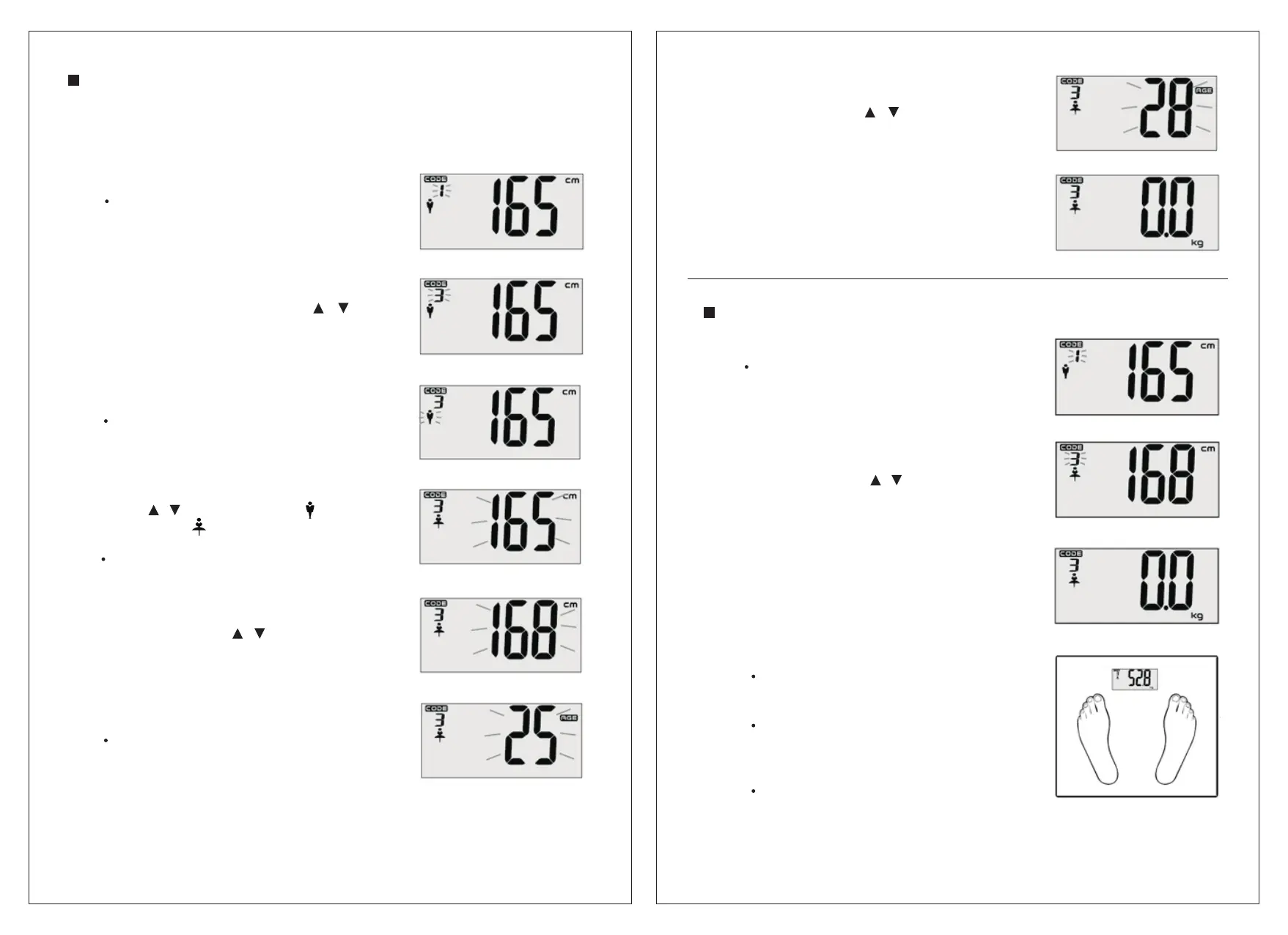
SETTING THE PERSONAL DATA
The scale can store the personal data of up to twelve people.
Personal data includes gender, height and age.
1.Press SET to turn on the scale.
The default setting will be shown and
personal data code will flash on the
display.
2.While the personal data code is
flashing, repeatedly press /
to select a personal data code.
3.Press SET to confirm.
The gender icon will flash on
the display.
4.While the gender icon is flashing,
press / to select male ( )
or female ( ) setting.
Press SET to confirm.
The height figures will flash on
the display.
5.While the height figures are flashing,
repeatedly press / to select the
height.
6.Press SET to confirm.
The age figures will flash on the
display.
7.While the age figure are flashing,
repeatedly press / to select
the age.
8.Step on the scale electrodes.
The display will show “0.0 kg”.
You can now start taking measurements.
TAKING A MEASUREMENT
1. Press SET to turn on the scale.
The last user or default setting will be
shown and the user code will flash on
the display.
2. While the user code is flashing,
repeatedly press / to select
a desired code.
3.Step on the scale electrodes.
The display show“0. 0 kg”.
4. Step on the scale electrodes.
Make sure that you are bare foot
and that the soles of your feet are
clean.
Make sure that your feet are correctly
positioned on the electrodes and that
you are standing with your weight
evenly distributed on the platform.
Remain still and do not move until
the measurement is complete.
65
Downloaded from www.vandenborre.be


 To Next Page