MEASURING WEIGHT ONLY
1. Step on the scale and stand still.
The scale display will flash to indicate that the reading is
accepted.
2. If there is no operation for a while, the scale will automatically
switch off.
To weigh additional loading
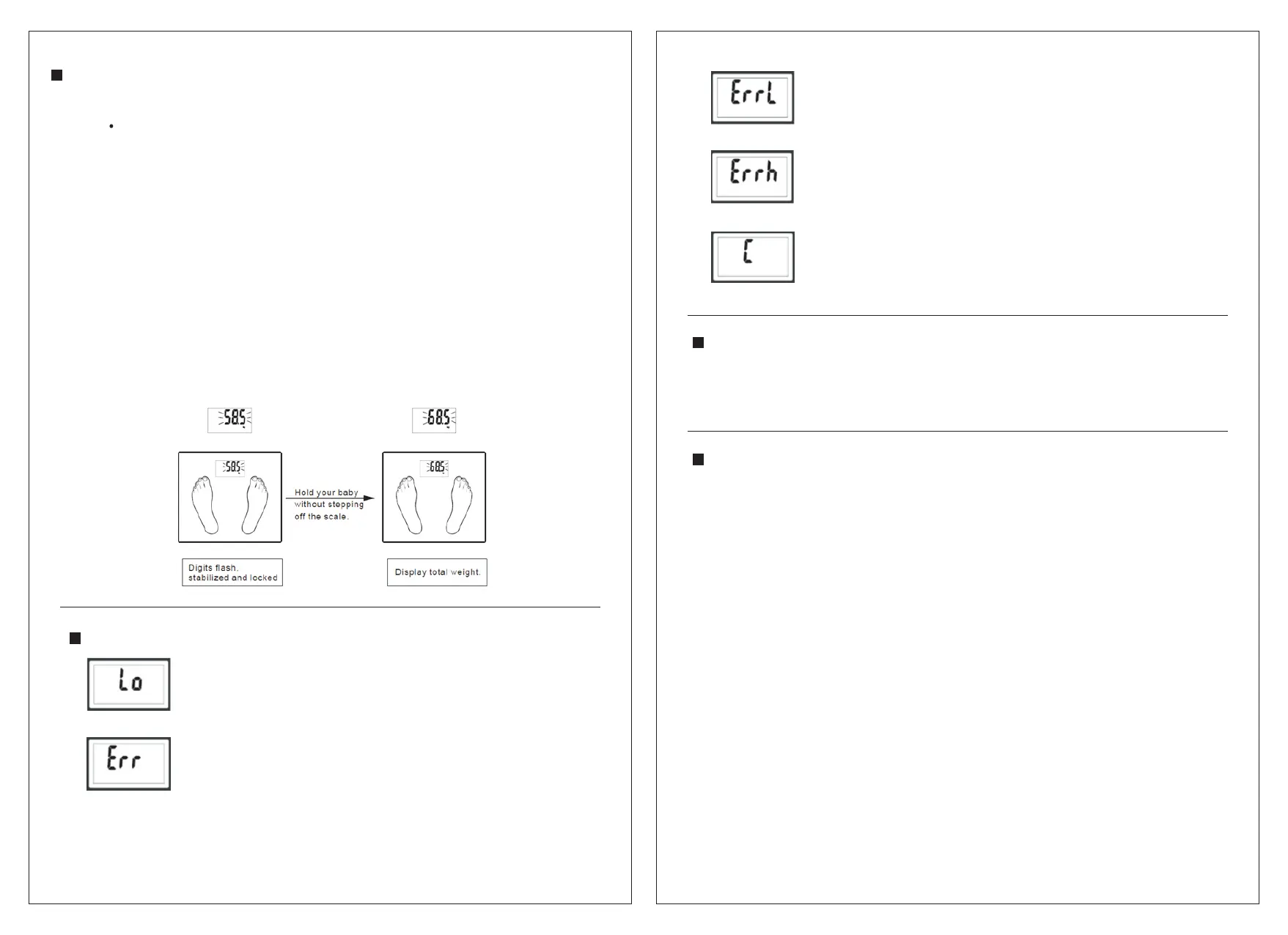
After the reading of your weight stabilize, you can weigh
additional loading. Ensure each add- on loading exceeds 2 kg to
get a new reading.
For example, if you want to weigh your baby, you can weigh
yourself first, and then hold your baby together without stepping
off the scale. Then you will get a new reading.
Deducting your weight reading from the new reading, you will get
the weight reading of your baby.
ERROR DISPLAYS
Low battery indication
Battery is running low. Replace the battery
immediately.
Overload indication
Weight exceeds maximum capacity.
Please step off the scale to avoid damage to the scale.
Low fat% indication
The body fat percentage is too low.
High fat% indication
The body fat percentage is too high.
This could b e d ue to a measurement being
taken i ncorrectly.
Step off the s cale and step on i t a gain to
repeat the measuring p rocess.
SPECIFICATIONS
Maximum weight: 150 KG/ 330 LB/ 24 STONE
Minimum weight: 2 KG / 4 LB
Graduation: 0. 1 KG/ 0.2 LB
CLEANING AND MAINTENANCE
Clean the scale with a slightly damp cloth.
DO NOT immerse the scale in water.
Never use abrasive or chemical cleaning agents.
If the scale is not in use for a long period of time, remove
the battery before storage.
Keep the scale in a dry and clean place.
109
Downloaded from www.vandenborre.be


 To Next Page