8
3.Operating and Programming
Start to Charge
1
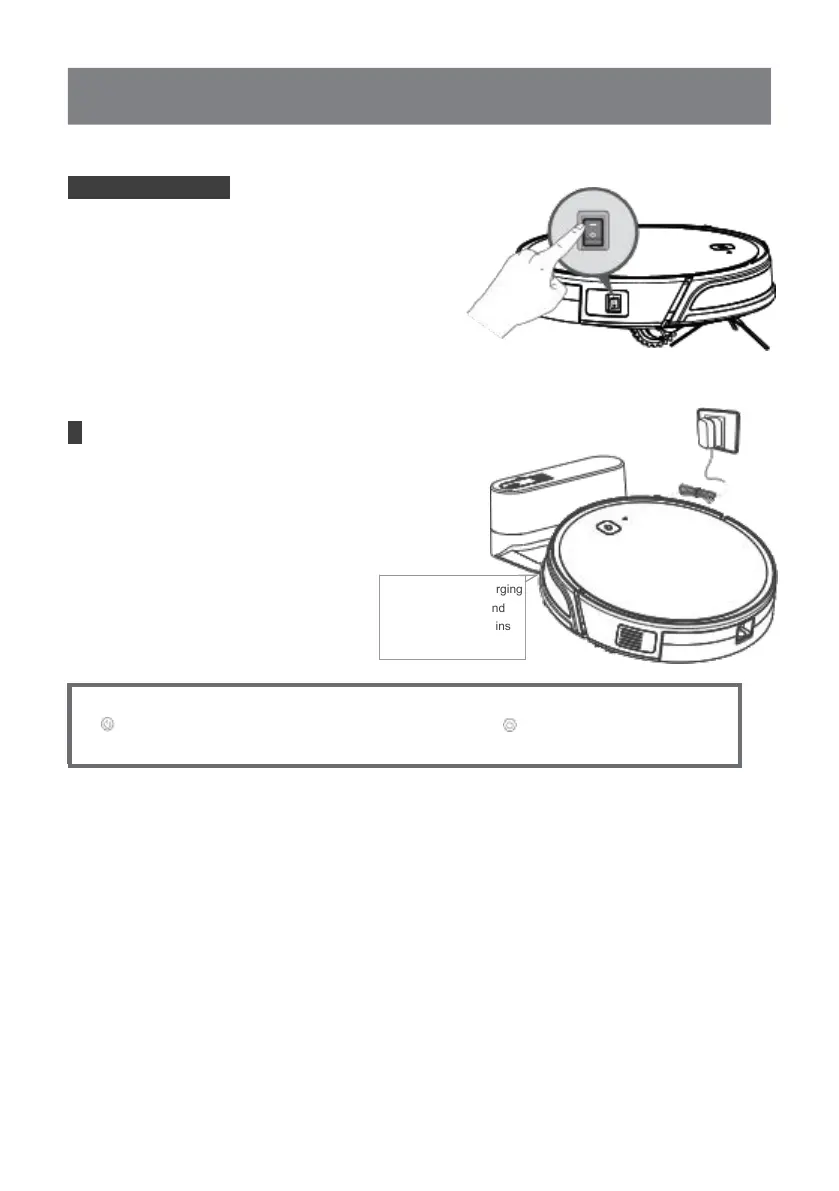
Turn on the Robot
Turn the robot’s Side Power Switch to the ON
position. “ - ” indicates ON and“ O” indicates OFF.
Robot is powered ON when button glows a
continuous BLUE.
2
Charge Robot
Place robot on the Charging Dock making sure the
Charging Contacts on robot and the Charging Dock
Pins make a connection. Charge Robot for at least
4 hours before the fi rst use.
making sure the Charging
Contacts on robot and
the Charging Dock Pins
make a connection.
* Usually take 5.5 hours from low battery mode to fully charged.
* button in breathing status when robot is charging. button stops glowing after
robot is fully charged.



 To Next Page