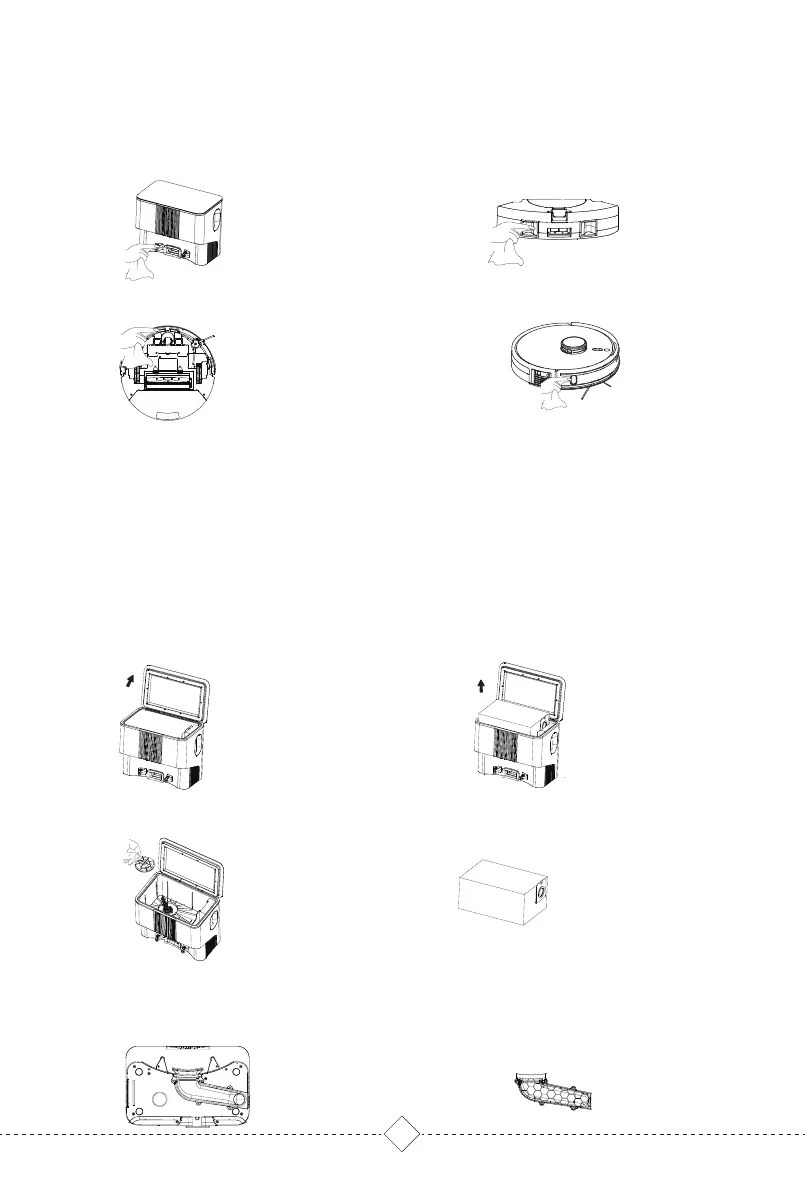
Replace the dust bag and clean the filter
Clean air duct
To ensure the dust collection effect, it is recommended to replace the dust bag in time and clean the filter and air
duct regularly.
1. Open the upper cover of Base. 2. Take out the full dust bag.
4. Install filter and new dust bag
3. Take out the filter screen and clean it.
1. Unscrew the air duct lower housing
screws.
2. Remove the air duct shell and clean
the air duct.
5. Regular Care & Maintenance /
5.4 Cleaning Self-empty Base
17
Warm tips:
5. Regular Care & Maintenance /
5.3 Charging Contacts, Anti-drop Sensors&TOF sensor
Clean the Robot Charging contactsClean the Charging contacts of
Self-empty Base.
Clean the Anti-drop Sensors Clean TOF sensor
Charging contacts, Anti-drop sensors and TOF sensors all contain sensitive electronic components. Please use a
dry rag when cleaning them, not a wet rag to prevent water damage.



 To Next Page