VFD
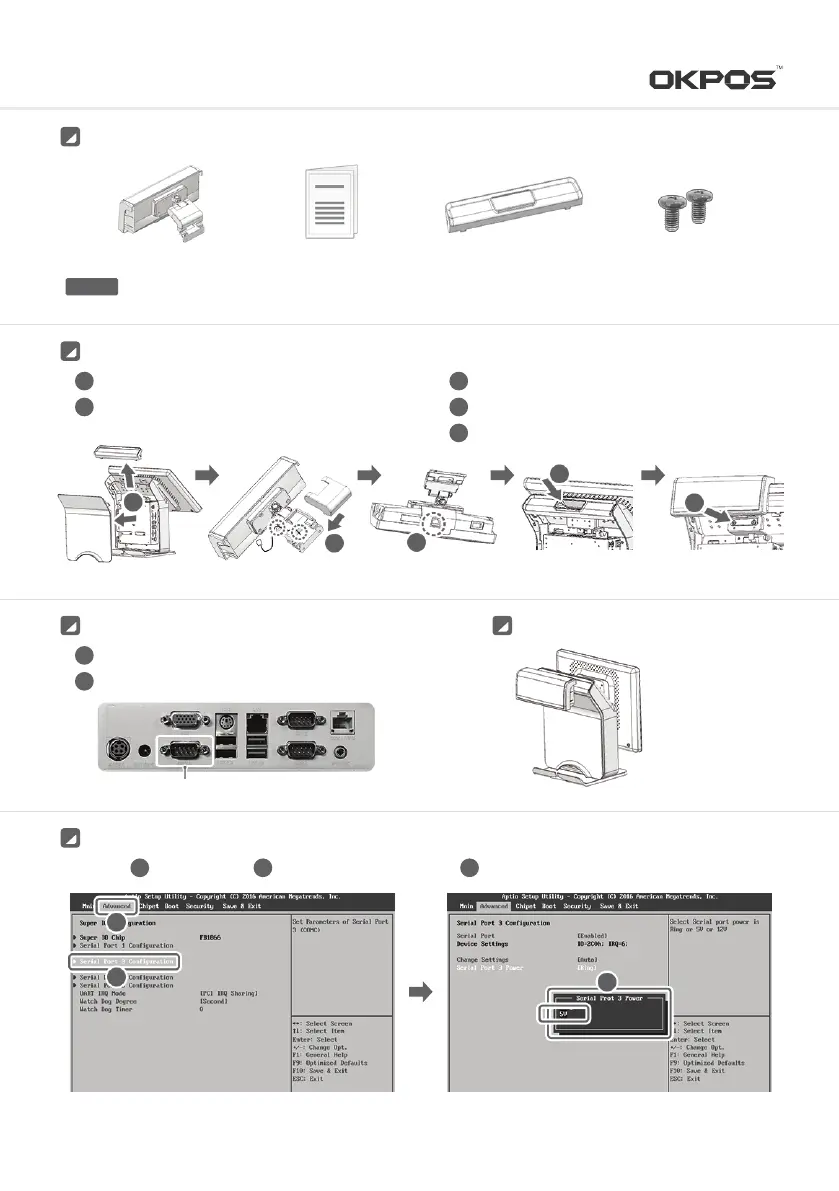
Turn system off before disassemblingCAUTION
VFD
Manual Dual Cover (K-POS)
Screw x 2
Parts Description
Connect cable in
③
Attach dual cover
Connect VFD to fasten screw
3
4
5
Remove Rear cover andBack cover
After remove hinge cover, connect cable as below
1
2
Installation
5
4
3
2
1
K-POS
Connect the cable
Assemble cable cover
1
2
COM3
Complete ImageConnecting the Cable
3
2
1
In CMOS ADVANCED -> Serial Port 3 Configuration -> Set Serial Port 3 Power 5V
1 2 3
SETTING
19
Service Manual



 To Next Page