ZED POS
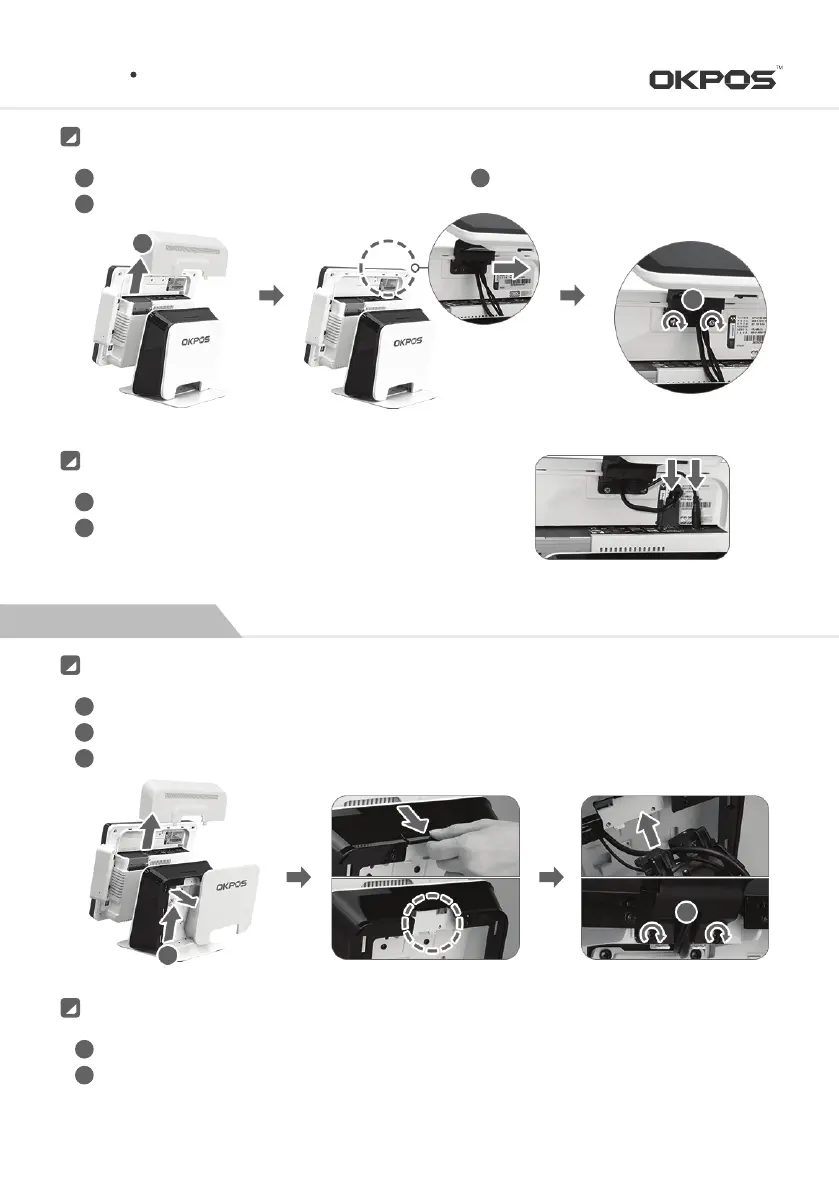
Remove the cable cover
Install a dual monitor by sliding it to the direction of arrow
②
1
2
Fasten the screw with a coin or driver
3
Installation
1
3
Connect the VGA cable and dual power cable
Reassemble the cable cover after connecting power adaptor cable
1
2
Connecting Cable
Remove the cable cover and stand rear case
Detach the stand dual set-up part. Clear up the edge when it detached
Fasten the screw after install the dual monitor on the stand
1
2
3
Installation
1
3
Connect the VGA cable and dual power cable
Reassemble the cable cover after connecting power adaptor cable
1
2
Connecting Cable
4
Service Manual



 To Next Page