EasyManua.ls Logo

Okuma OSP-U100M - Data Set Commands

Okuma OSP-U100M
511 pages
Print Icon
To Next Page IconTo Next Page
To Previous Page IconTo Previous Page
Loading...
4203-E
P-161
SECTION
1
DATA
SETTING
3.
Data
Set
Commands
The
data
set
commands
are
detailed
in
the
following
pages,
and
may
be
classified
into
three
groups:
commands
for
data
setting,
commands
for
parameter
selection,
and
input/output
commands
for
peripherals.
3-1
.
Commands
for
Data
Setting
This
group
consists
of
three
commands:
SET,
ADD,
and
CAL
3-1-1.
SET
Command
=S
CAL
SEARCH
ITEM
t
ITEM;
[EXTEND
]y
SET
ADD
F1
] [
F2
]
[
F3
]
F4
]
F5
[
F6
1
[
F7
1
[
F8
Press
[F1]
(SET)
"S'1
is
displayed.
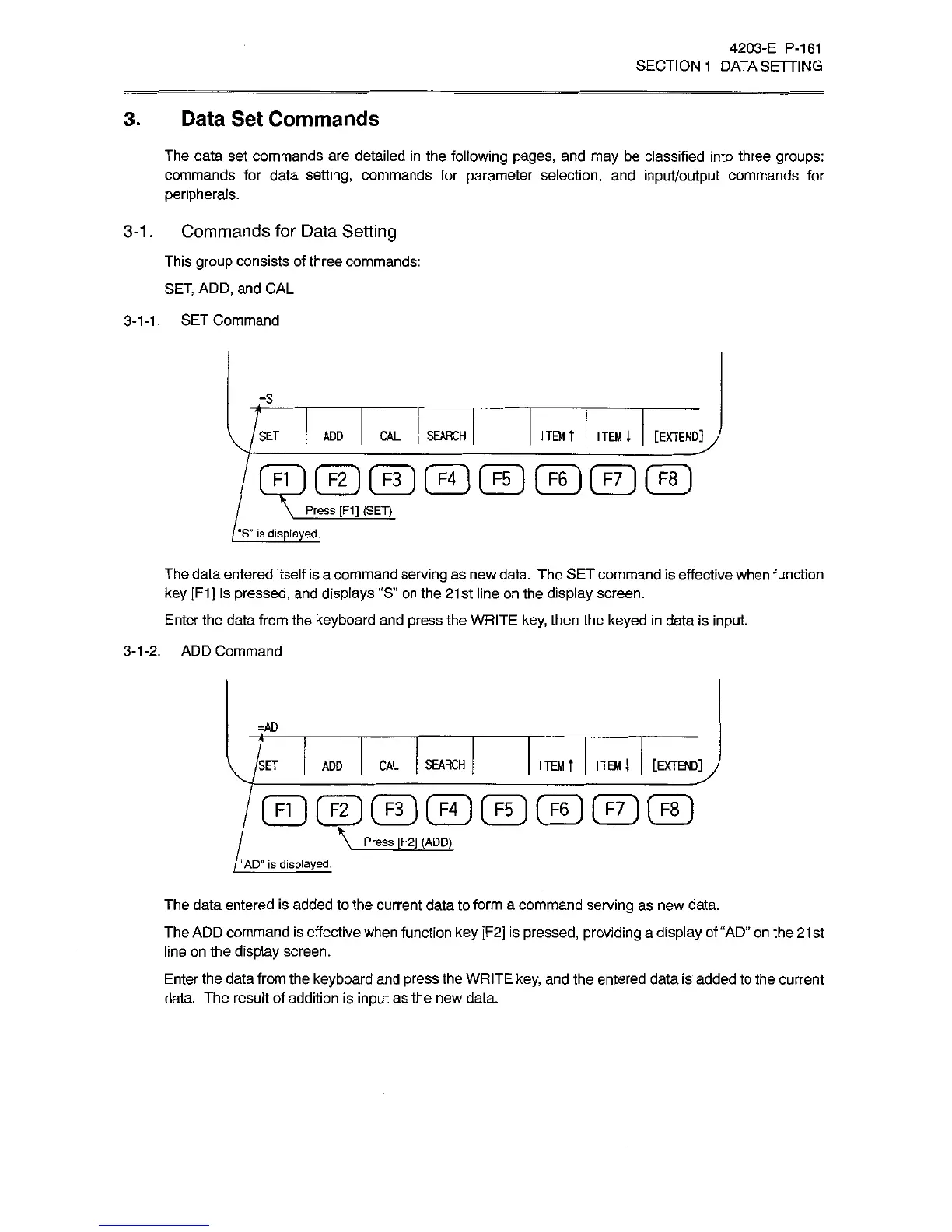
The
data
entered
itself
is
a
command
serving
as
new
data.
The
SET
command
is
effective
when
function
key
[F1]
is
pressed,
and
displays
“S”
on
the
21st
line
on
the
display
screen.
Enter
the
data
from
the
keyboard
and
press
the
WRITE
key,
then
the
keyed
in
data
is
input.
3-1-2.
ADD
Command
=AD
ITEM
T
ITEM;
[EXTEND]
J
ADD
CAL
SEARCH
/SET
F1
1
|
F2
[
F3
1
F4
F5
[
F6
1
F7
F8
Press
[F2]
(ADD)
"AD”
is
displayed.
The
data
entered
is
added
to
the
current
data
to
form
a
command
serving
as
new
data.
The
ADD
command
is
effective
when
function
key
[F2]
is
pressed,
providing
a
display
of
“AD”
on
the
21
st
line
on
the
display
screen.
Enter
the
data
from
the
keyboard
and
press
the
WRITE
key,
and
the
entered
data
is
added
to
the
current
data.
The
result
of
addition
is
input
as
the
new
data.

Related product manuals