EasyManua.ls Logo

Okuma OSP-U100M - Page 183

Okuma OSP-U100M
511 pages
Print Icon
To Next Page IconTo Next Page
To Previous Page IconTo Previous Page
Loading...
4203-E
P-162
SECTION
1
DATA
SETTING
3-1
-3.
CAL
Command
=C
ITEM
t
[EXTEND]
J
CAL
SEARCH
ITEM
l
SET
ADD
FI
)
(
F2
1
(
F3
1
[
F4
]
(
F5
]
[
F6
] [
F7
]
(
F8
Press
[F3]
(CAL)
“C”
is
displayed.
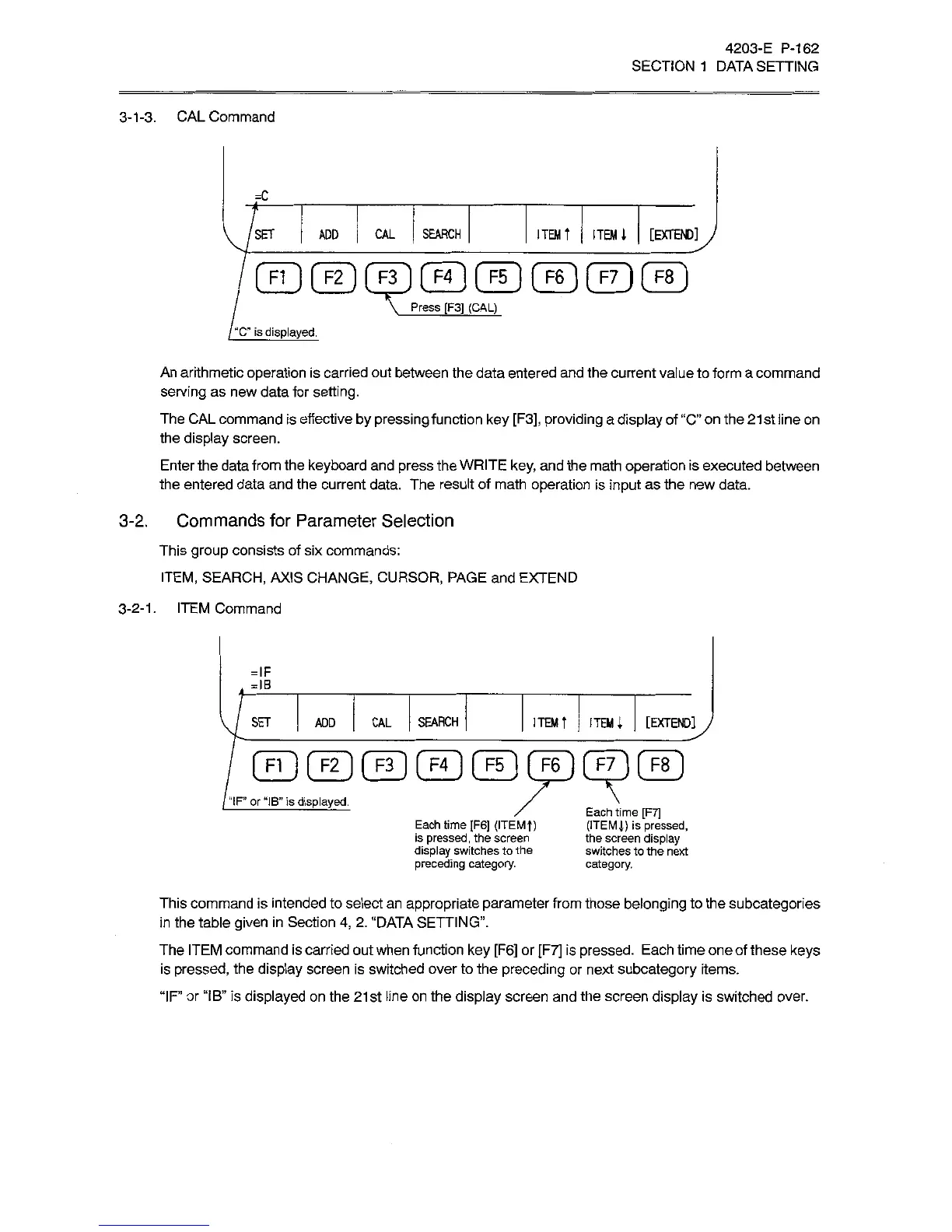
An
arithmetic
operation
is
carried
out
between
the
data
entered
and
the
current
value
to
form
a
command
serving
as
new
data
for
setting.
The
CAL
command
is
effective
by
pressing
function
key
[F3],
providing
a
display
of
“C"
on
the
21st
line
on
the
display
screen.
Enter
the
data
from
the
keyboard
and
press
the
WRITE
key,
and
the
math
operation
is
executed
between
the
entered
data
and
the
current
data.
The
result
of
math
operation
is
input
as
the
new
data.
3-2.
Commands
for
Parameter
Selection
This
group
consists
of
six
commands:
ITEM,
SEARCH,
AXIS
CHANGE,
CURSOR,
PAGE
and
EXTEND
3-2-1.
ITEM
Command
=IF
=IB
SEARCH
ITEM
t
ITEMi
[EXTEND]
SET
CAL
ADD
CfD
GD
©©
CED
©
dp
“IF’
or
“IB”
is
displayed.
/
\
/
Each
time
[F7]
(ITEMJ)
is
pressed,
the
screen
display
switches
to
the
next
category.
©
Each
time
[F6]
(ITEMT)
is
pressed,
the
screen
display
switches
to
the
preceding
category.
This
command
is
intended
to
select
an
appropriate
parameter
from
those
belonging
to
the
subcategories
in
the
table
given
in
Section
4,
2.
“DATA
SETTING”.
The
ITEM
command
is
carried
out
when
function
key
[F6]
or
[F7]
is
pressed.
Each
time
one
of
these
keys
is
pressed,
the
display
screen
is
switched
over
to
the
preceding
or
next
subcategory
items.
“IF’
or
“IB”
is
displayed
on
the
21st
line
on
the
display
screen
and
the
screen
display
is
switched
over.

Related product manuals